Know what's left, every day.
For anyone who reaches the 20th and wonders where the money went. Note what you spend, and Dott. Budget shows what is left for the rest of the month.
It opens like an app from your own link, on your laptop, tablet or phone. No account, no app store, no monthly fee, and everything stays on your device.
- No bank login
- Works offline
- Any currency
- Pay once, keep it
$20 once. 50% off until 31 October, then $39.99. Never a subscription.
A budget you can live with.
Most budget apps want your bank password and a monthly fee, then scold you in red. Dott. Budget is a quiet page you fill in yourself, and pay for once.
The usual way
- A bank login handed to an app
- A subscription to track your spending
- Red warnings when life happens
- Numbers you cannot check
Dott. Budget
- No bank connection at all
- One price, paid once
- Nothing turns red, ever
- Every sum written out
Note it in five seconds.
Type what you spent on the first page. Noting it is the habit, so noting it counts.
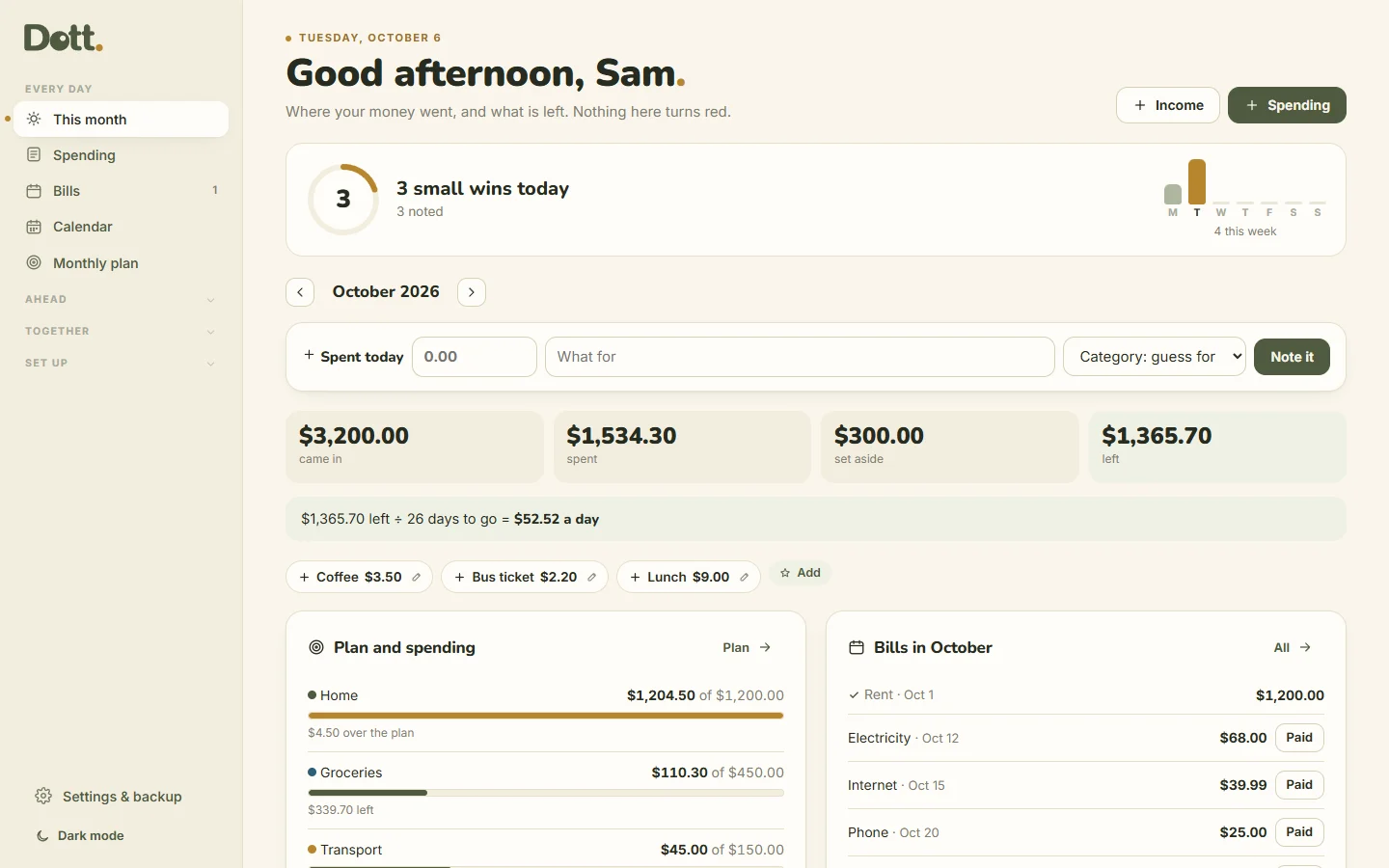
- Spent today: type an amount on the first page, without opening anything. Dott. guesses the category.
- Noting counts: the first page shows what you noted today and the bills paid this month.
- A shorter menu: the pages you open every day first, the rest one tap away.
- A soft "+1 small win" when you tick. No streaks, and nothing turns red.
Your money, calmly.
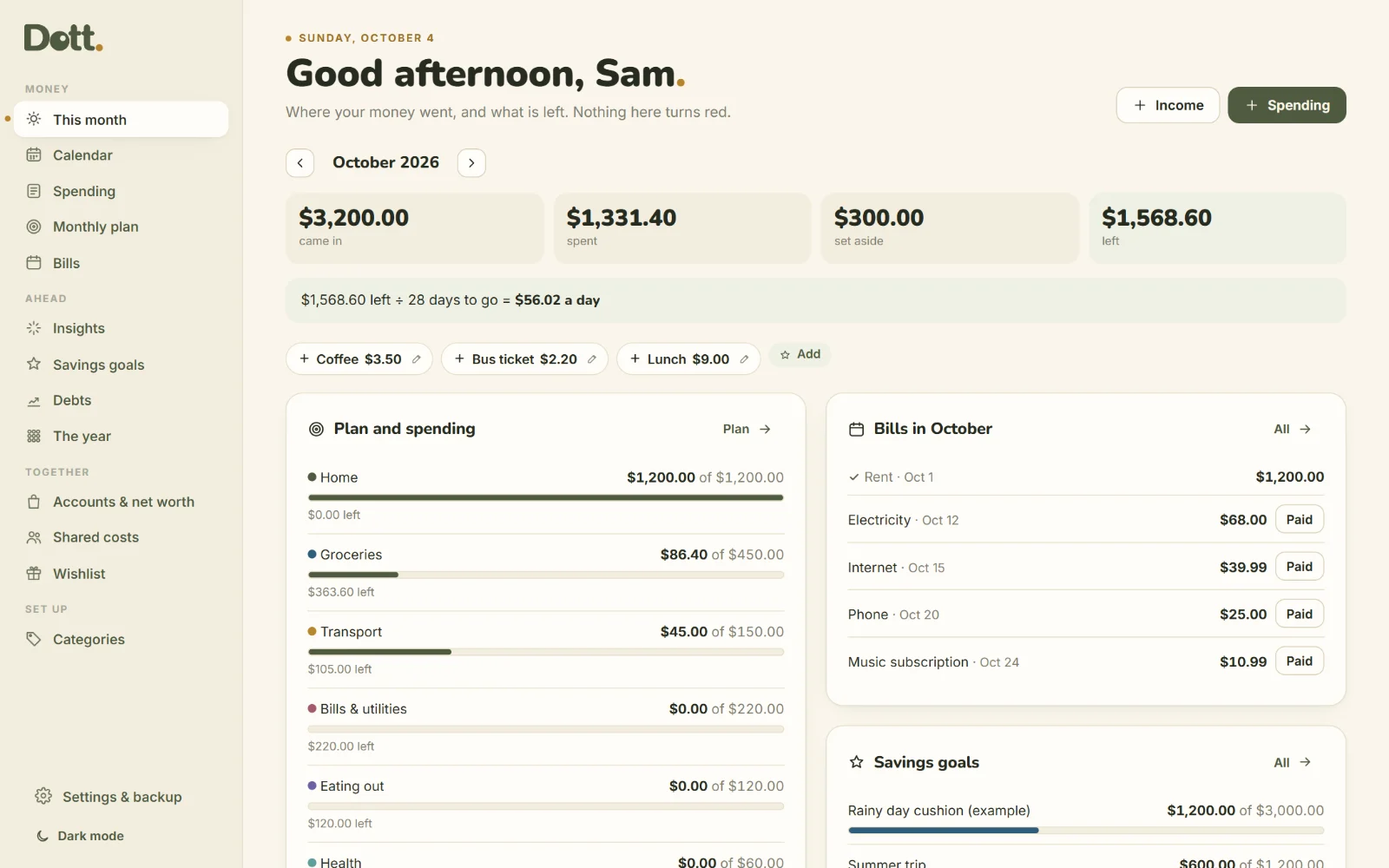
This month, on one page
What came in, what you spent, what you set aside and what is left. Then the line that matters: what is left ÷ days to go = an amount a day.
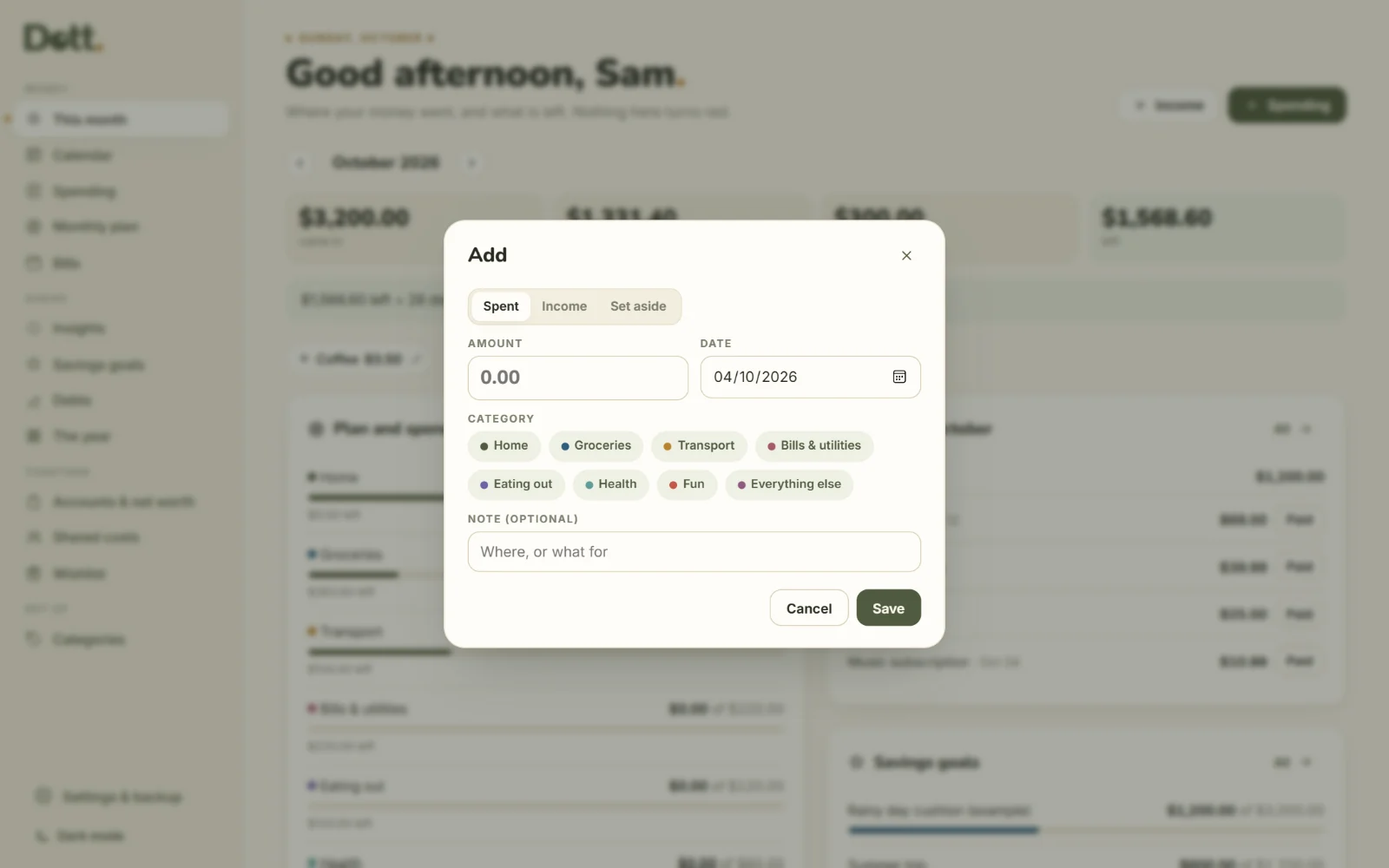
Note it in seconds
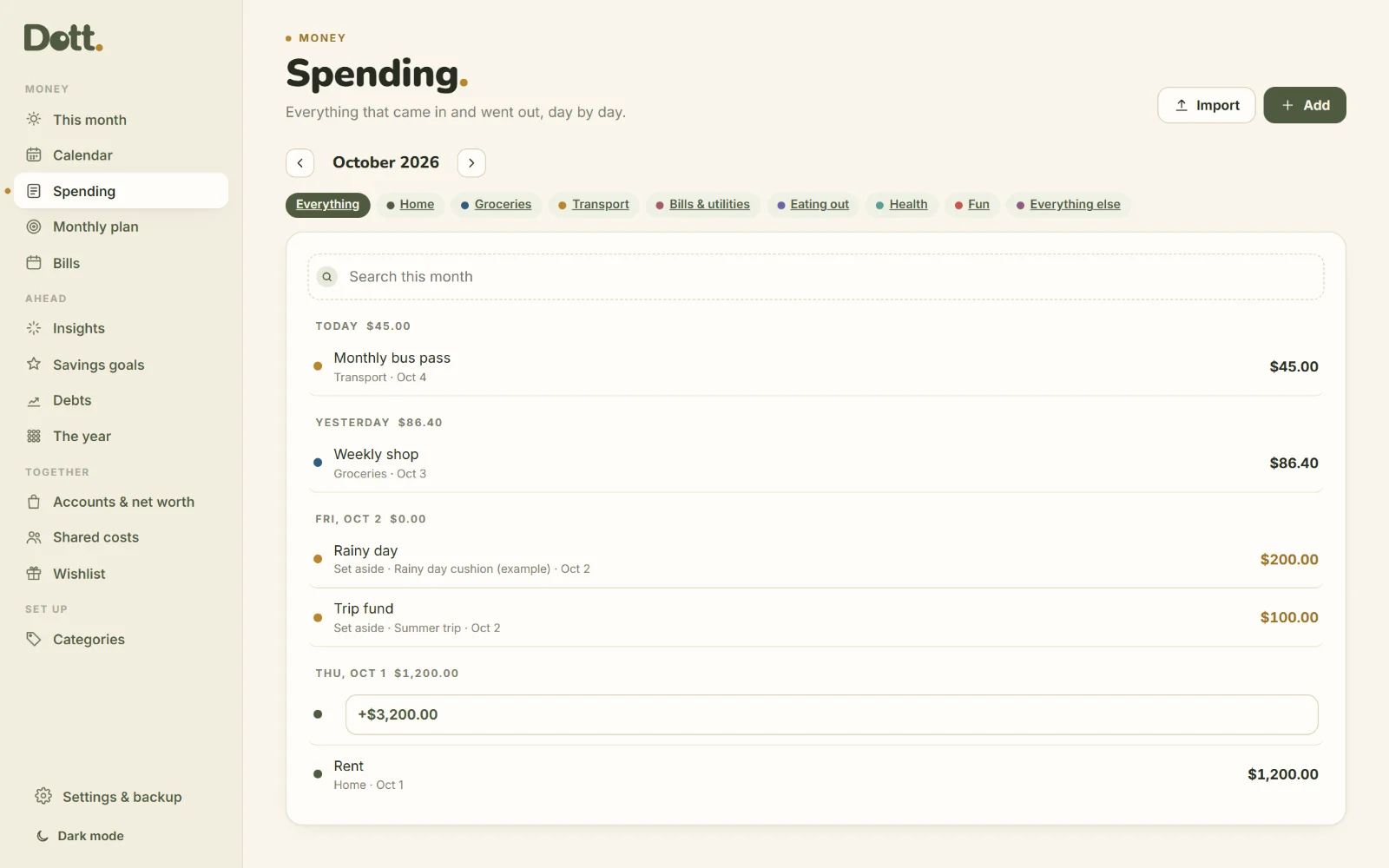
Amount, category, done. Search the month, filter by category, edit anything. Income and money set aside live in the same list.
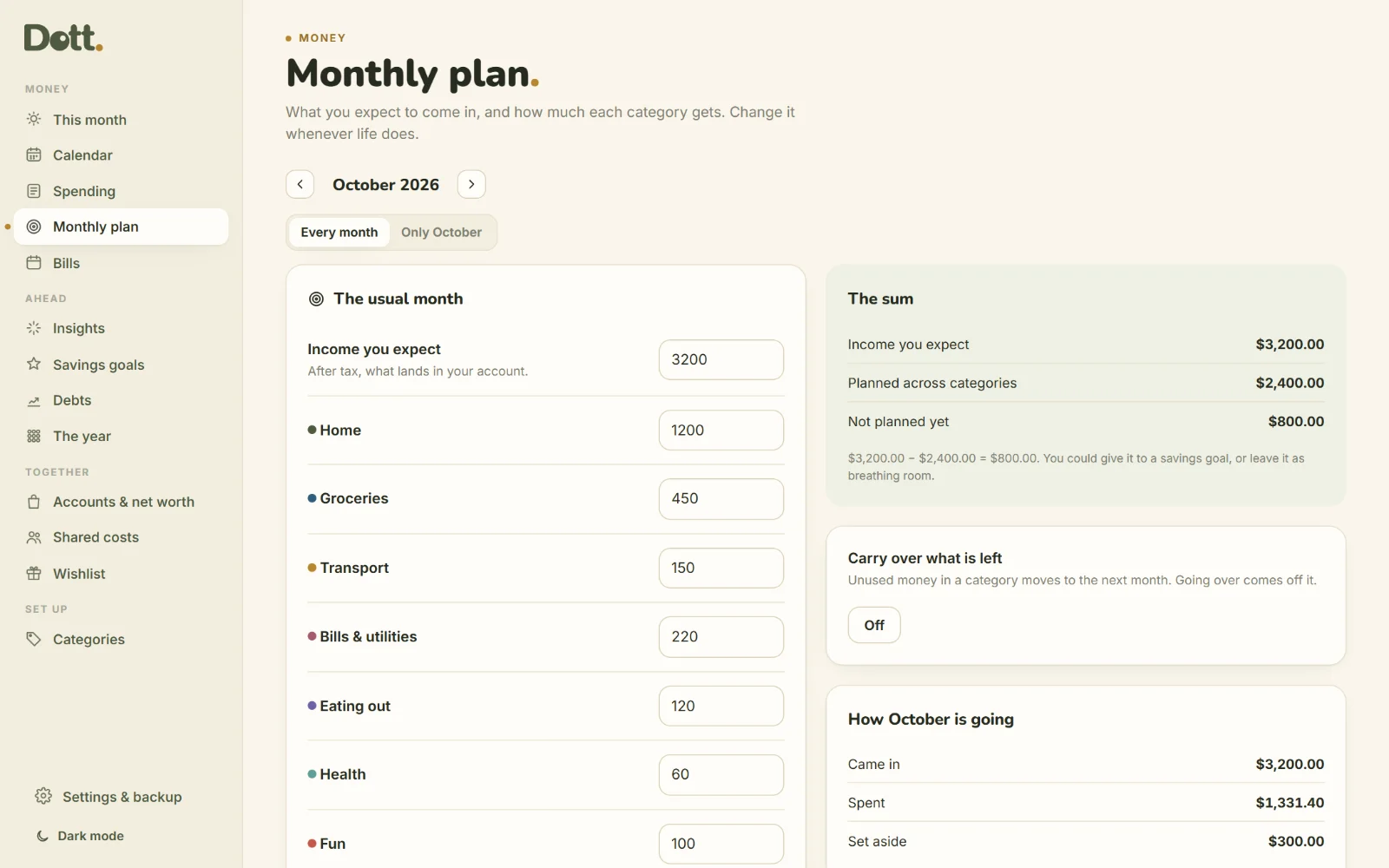
A plan per category
Give each category a usual amount. A bar fills as you spend, and going over is said quietly, in words. One month can have its own plan when life changes.
Bills that do not surprise you
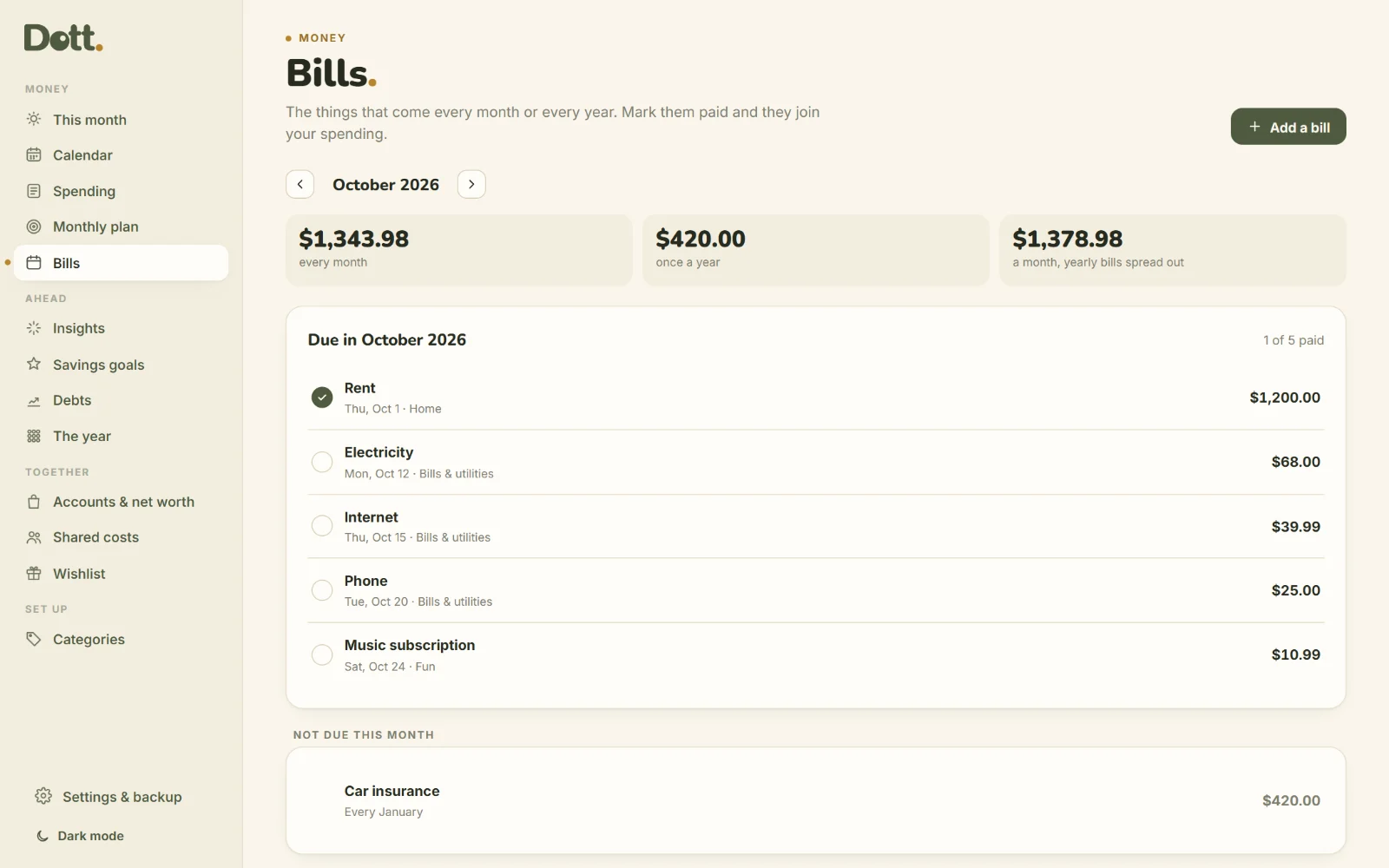
Rent, phone, insurance, subscriptions: monthly or yearly. See what is due this month, tick it paid and it joins your spending. Add any bill to Google or Outlook calendar.
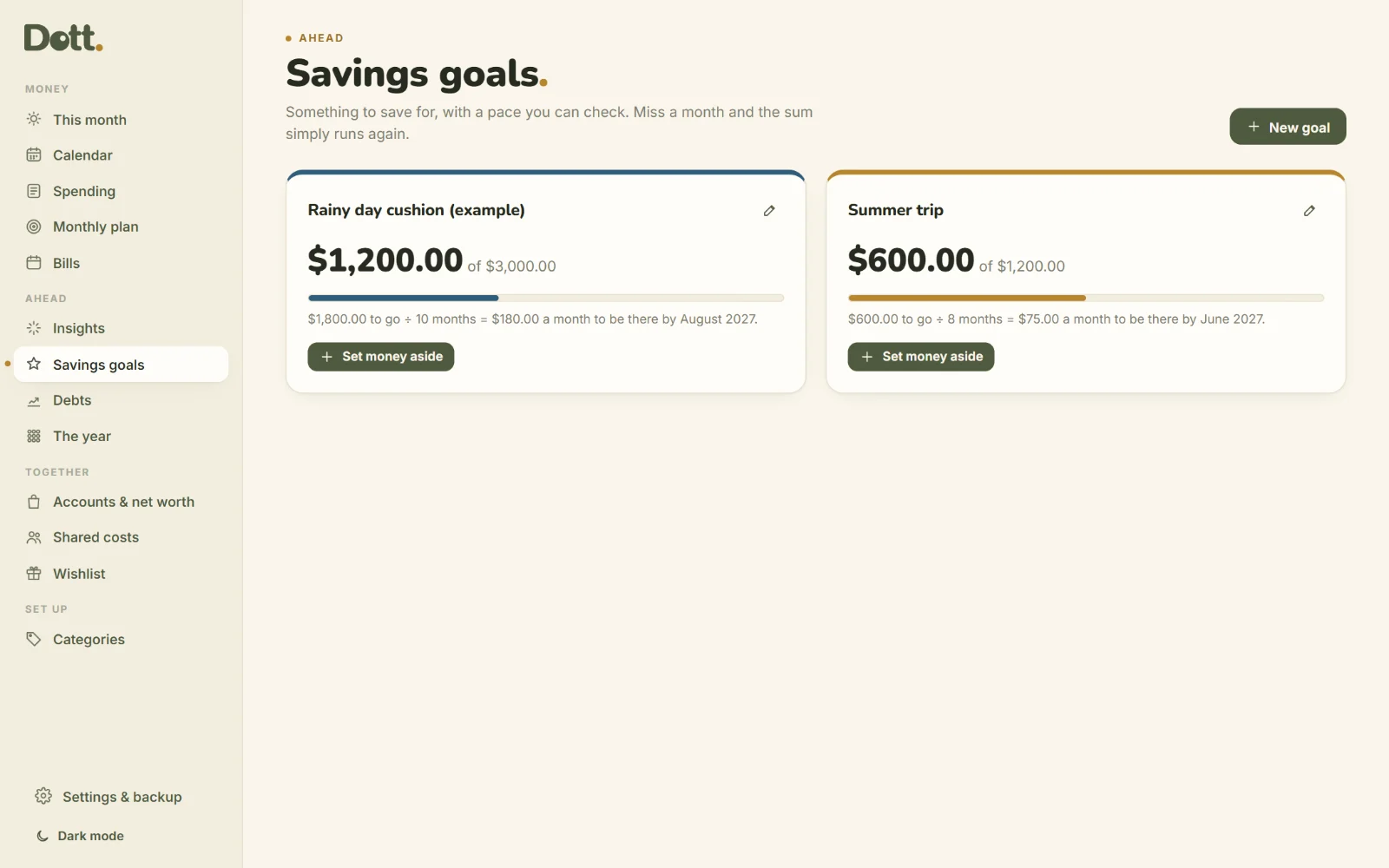
Savings goals with a pace
What is left to save ÷ months to go = an amount a month. Miss a month and the sum simply runs again.
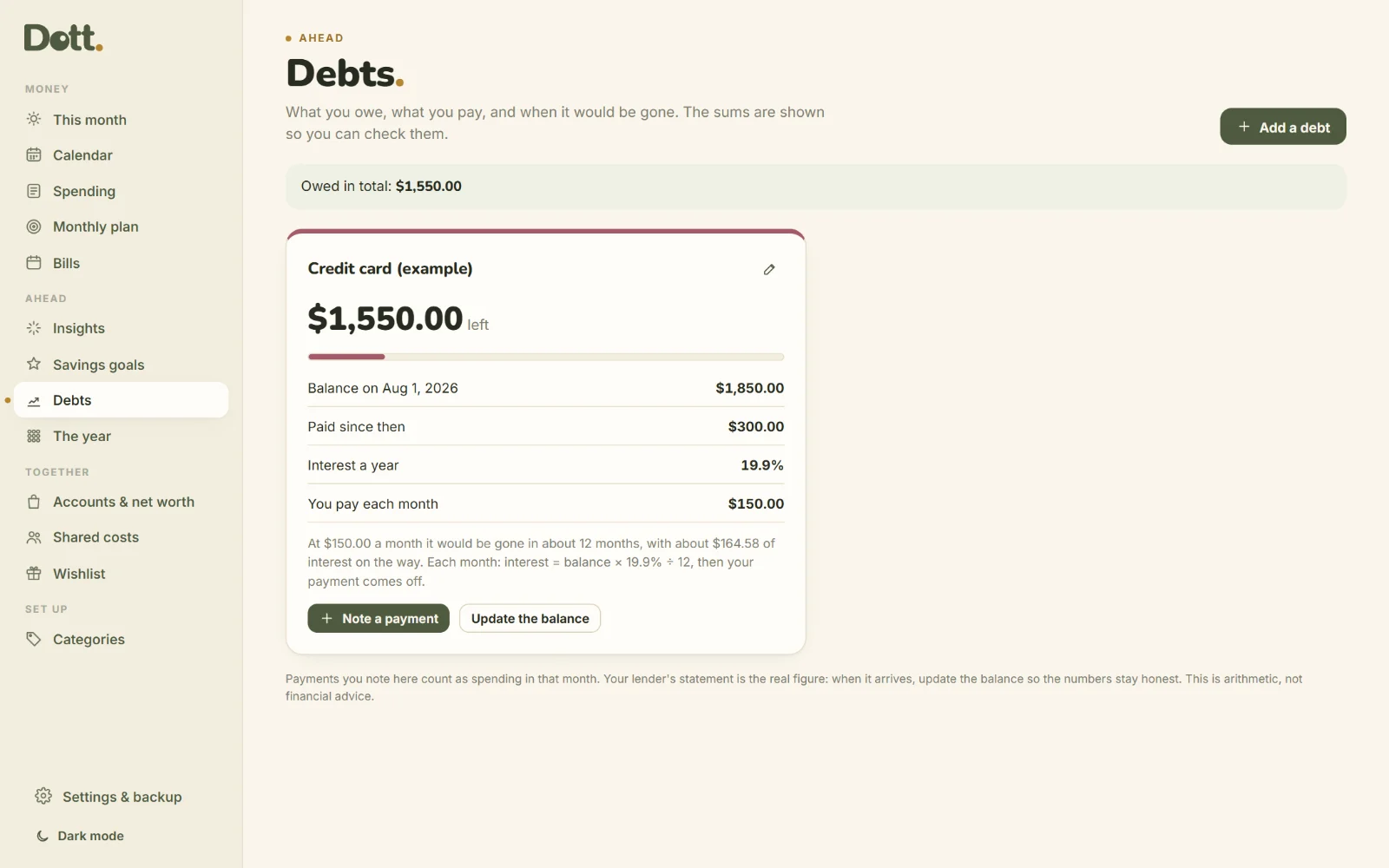
Debts, with the sums shown
Balance, interest and your payment. Dott. shows about when it would be gone and how each month is worked out. Arithmetic, not advice.
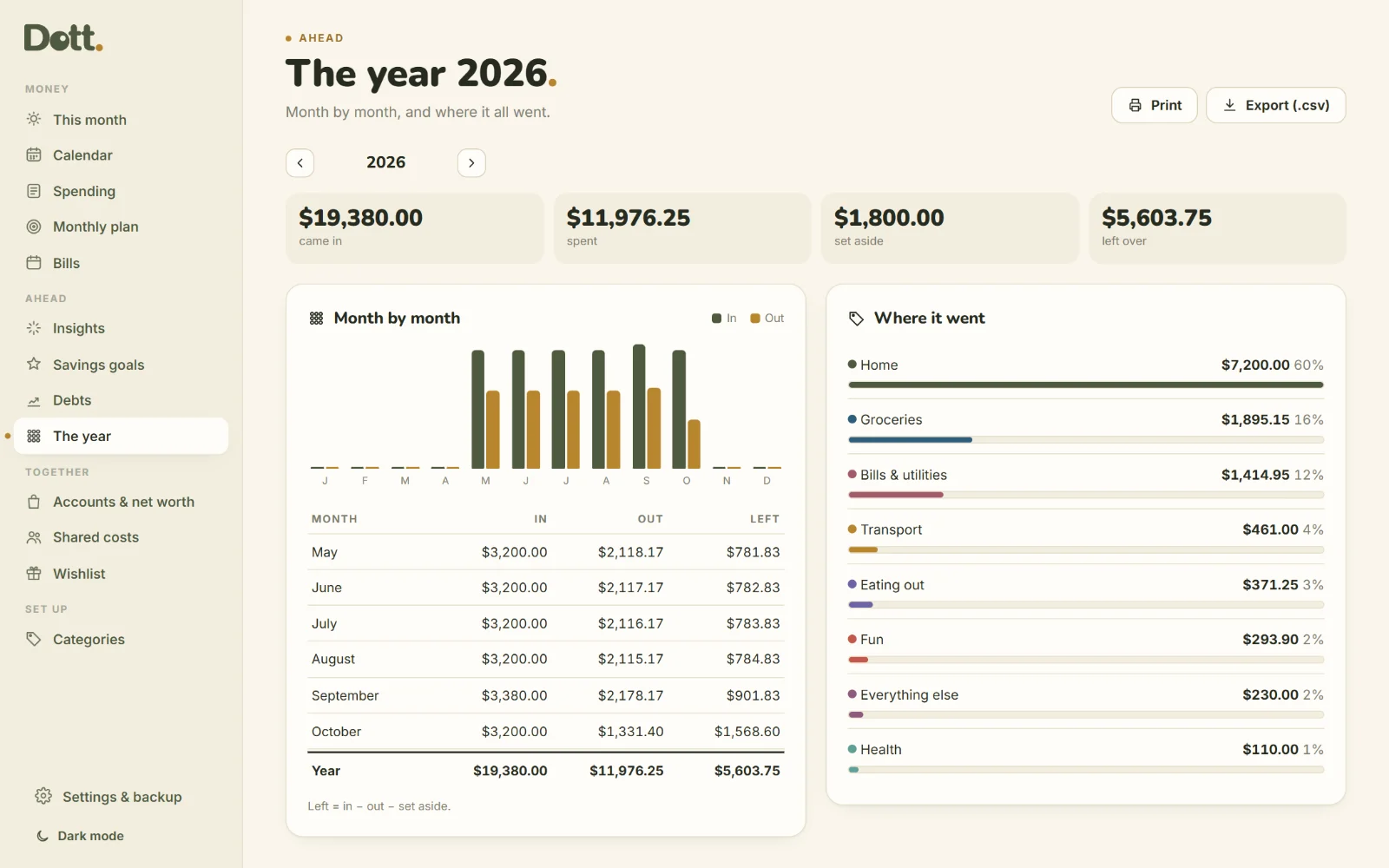
The year at a glance
Month by month, and where it all went by category. Print it, or export everything to a spreadsheet.
Bring your bank statement
Download a .csv from your bank and import it: pick which column is the date, the description and the amount. Nothing is sent anywhere.
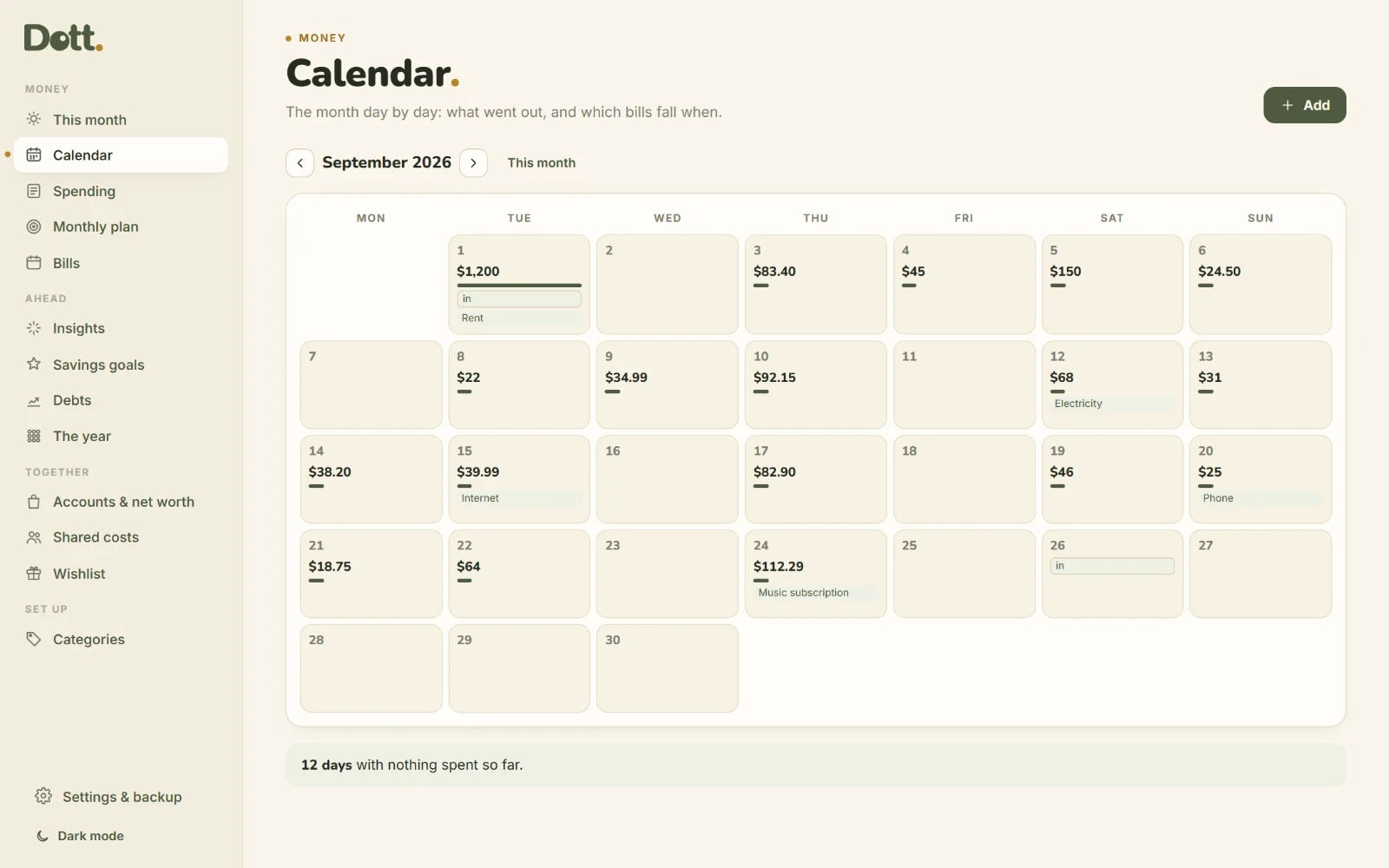
The month as a calendar
Every day with what went out, and each bill on the day it falls. Tap a day to see it or add to it. The page counts the days you spent nothing.
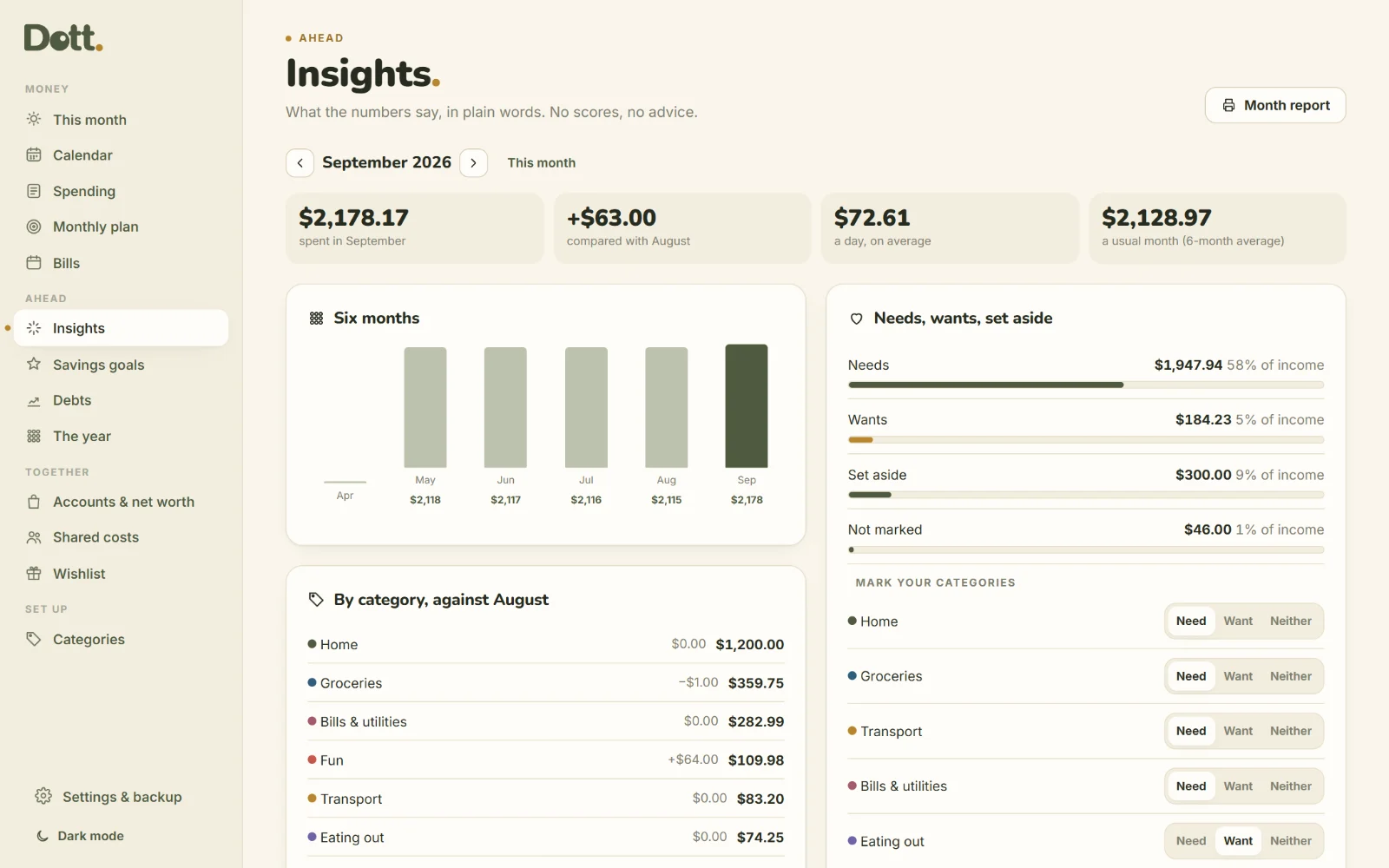
Insights, in plain words
This month against last month, category by category. Six months side by side, your usual month, your biggest entries, and needs, wants and money set aside as shares of your income.
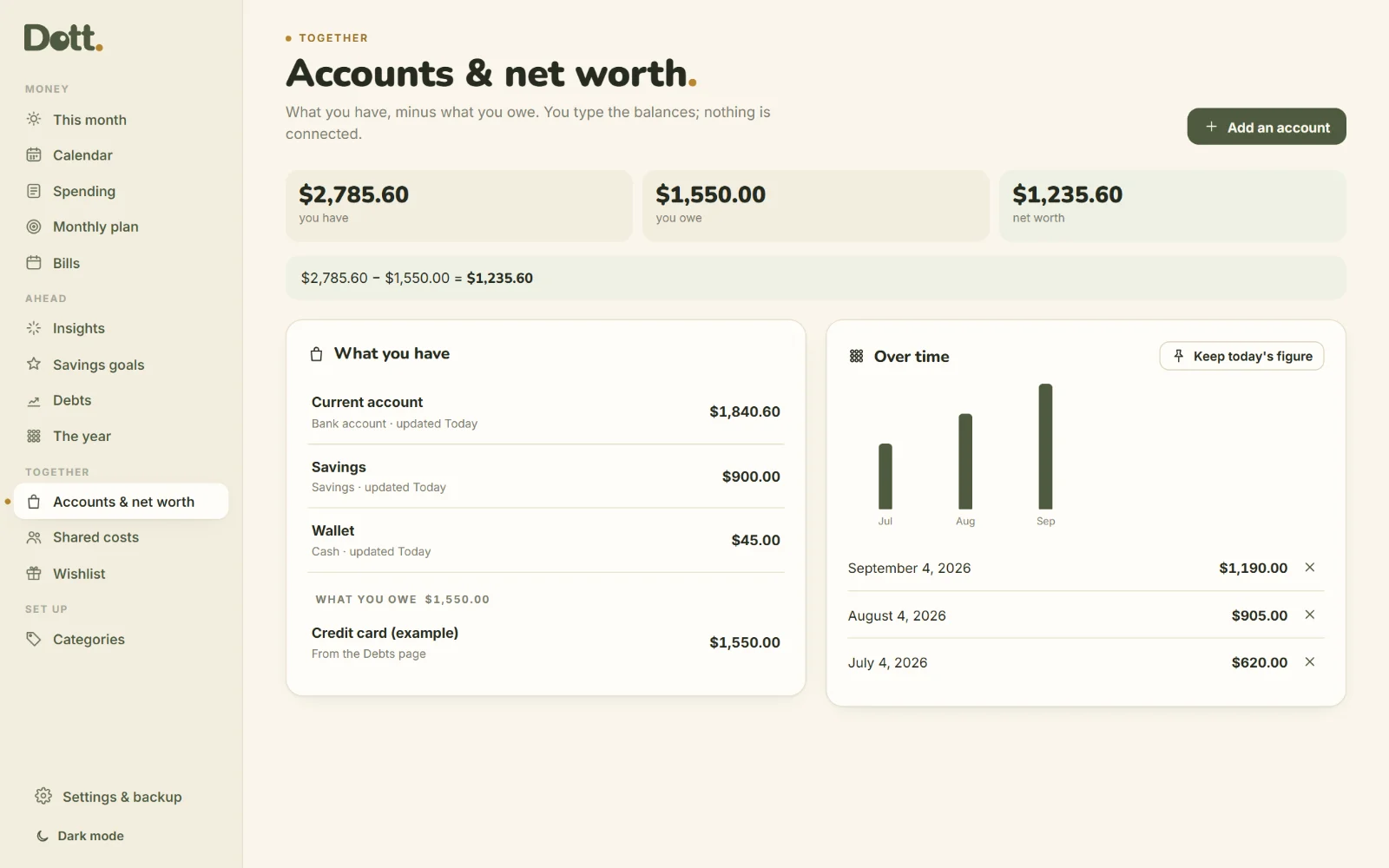
Accounts and net worth
Type the balance of each account when you check it. What you have minus what you owe is your net worth, and you can keep the figure each month to see the line move.
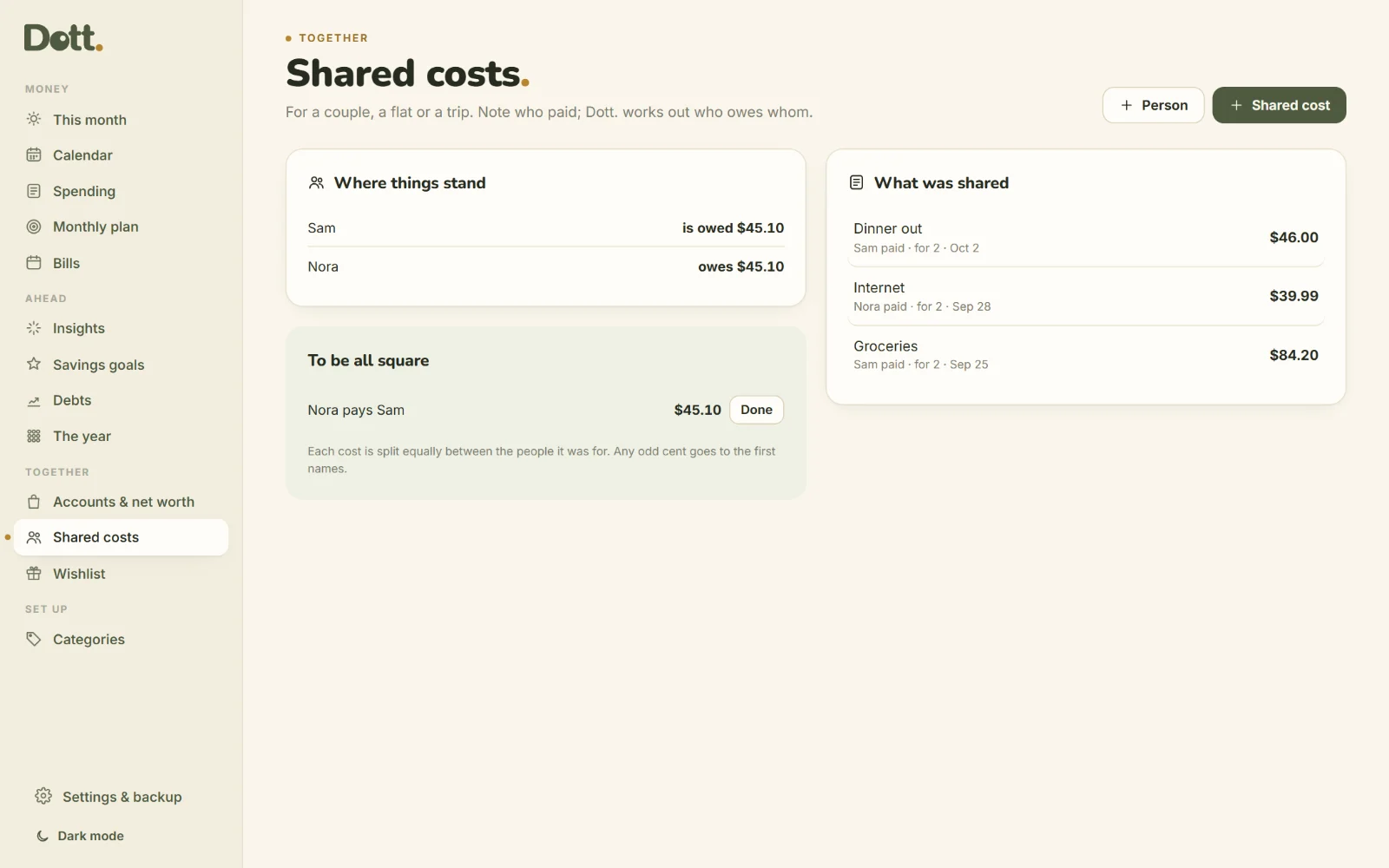
Shared costs, settled
For a couple, a flat or a trip: note who paid and who it was for. Dott. splits it equally and shows who pays whom to be all square.
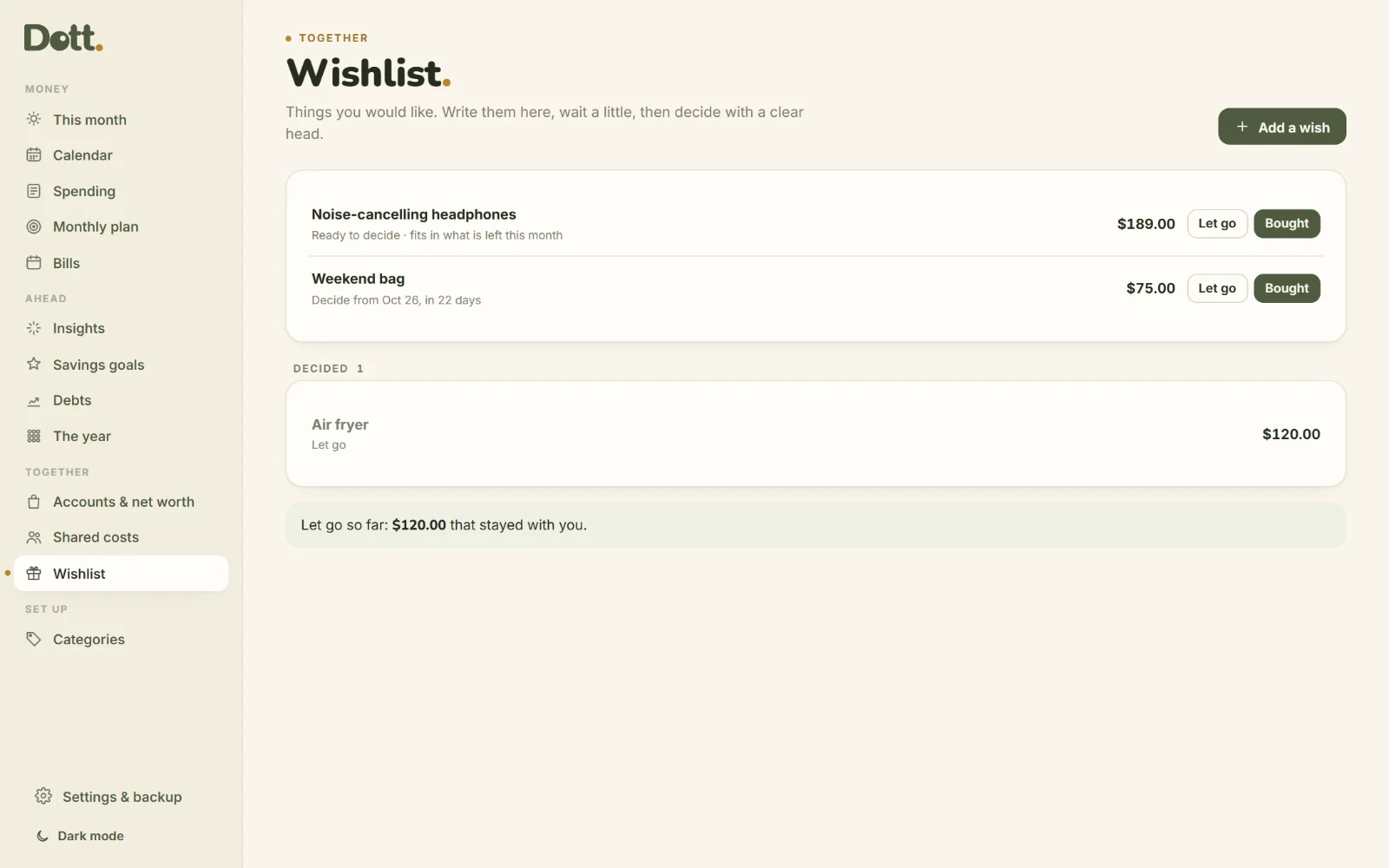
A wishlist that waits
Park the thing you want for 30 days instead of in a basket. When the wait is over, Dott. tells you if it fits in what is left this month.
At the till too.
Add it to your home screen and note the coffee before you leave the counter. It opens like an app and works with no signal.
- Opens from your own link
- Works offline
- Backup file to move between devices
One price. Yours to keep.
Dott. Budget
Paid once. No subscription.
Updates to version 3 are free.
- The appYour own link, plus the file to keep for good.
- 10-page guideEvery screen explained with pictures.
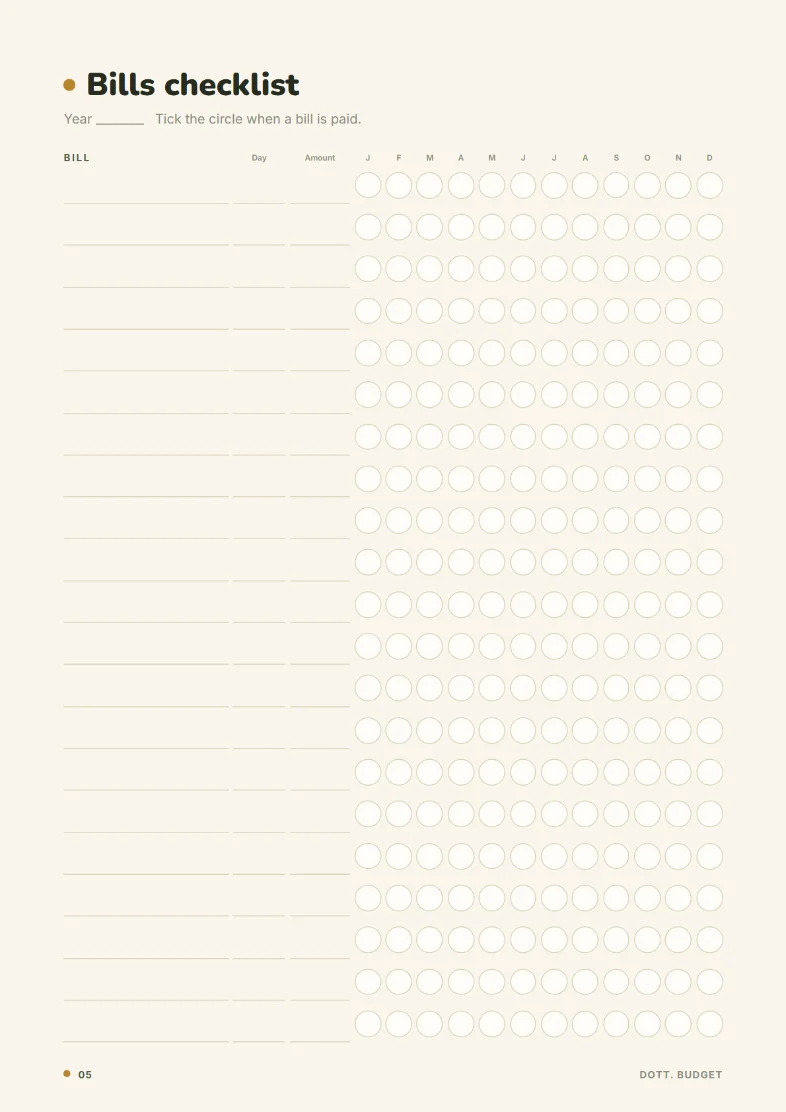
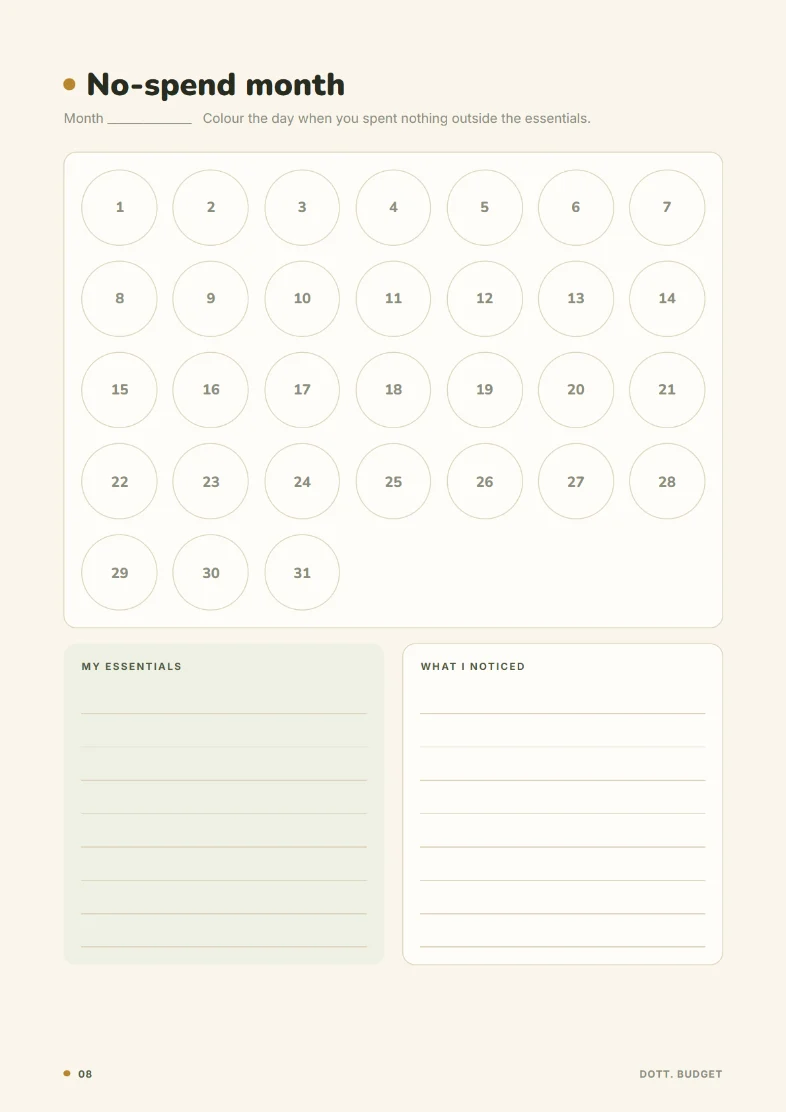
- Printables BonusMonthly budget, spending log, bills checklist, savings tracker, debt log, no-spend month and year overview.
50% off until Friday 31 October 2026, then $39.99. Secure checkout on Payhip, instant download, 14-day refund.
For the fridge and the folder
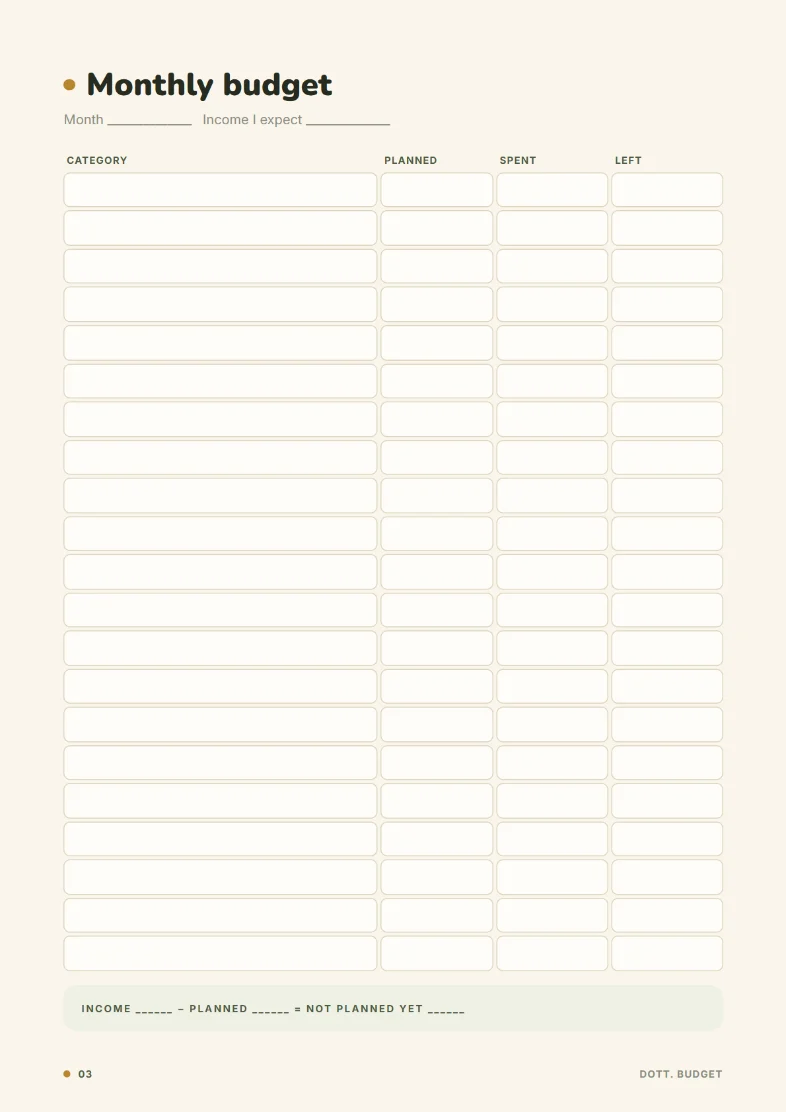
- Monthly budget
- Spending log
- Bills checklist
- Savings goal tracker
- Debt payment log
- No-spend month
- Year at a glance
Good to know.
Does it connect to my bank?
No, on purpose. You type what you spend, or import a .csv statement you download from your bank yourself. Dott. never sees a password or an account.
Is this financial advice?
No. Dott. Budget is a place to keep track, with the arithmetic shown. It does not tell you what to do with your money.
Which currencies?
Any. Type the three-letter code in Settings, like USD, EUR, GBP or DZD.
Can two of us use it?
Each device keeps its own data. To share, download a backup on one device and restore it on the other. It does not sync by itself.
Where is my data stored?
Only in your browser, on your device. There is no account and no cloud. Download a backup now and then.
Is it a subscription?
No. $20 once until Friday 31 October 2026, then $39.99 once.
Write to a human.
A person reads every message.
One calm page for your money.
Add your categories tonight. Tomorrow, note the first coffee.
- Instant download
- One-time payment
- Works offline
- Stays on your device