Track it. Invoice it. Get paid.
Clients, projects, time and invoices in one calm place. Your unbilled hours become a clean invoice in a few taps, and the sums always add up.
It opens like an app from your own link, on your laptop, tablet or phone. No account, no app store, no monthly fee, and everything stays on your device.
- Invoices from your time
- Works offline
- Any currency
- Pay once, keep it
$25 once. Never a subscription.
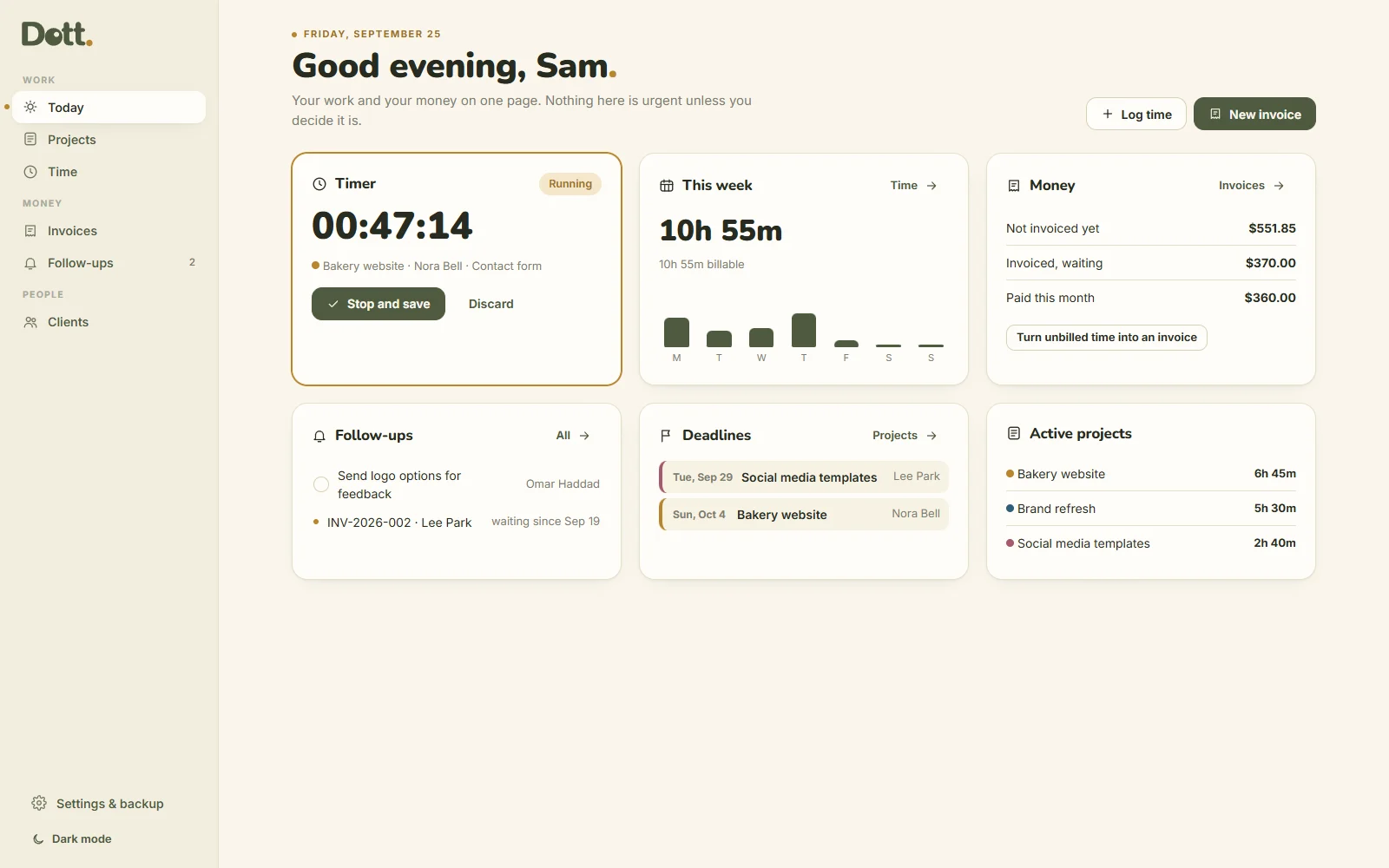
The admin side of freelancing, made small.
Time in one app, invoices in a spreadsheet, client emails in your head, and a monthly fee for each. Dott. Freelance puts it in one file you pay for once.
The usual way
- Hours guessed at the end of the month
- Invoices rebuilt from an old template
- A subscription for every tool
- Awkward emails about late payments
Dott. Freelance
- A timer on every project
- Unbilled time becomes invoice lines
- One price, paid once
- A friendly reminder, ready to copy
Paid, in one tap.
Invoices that are waiting sit on Today, and the work you logged adds up beside them.
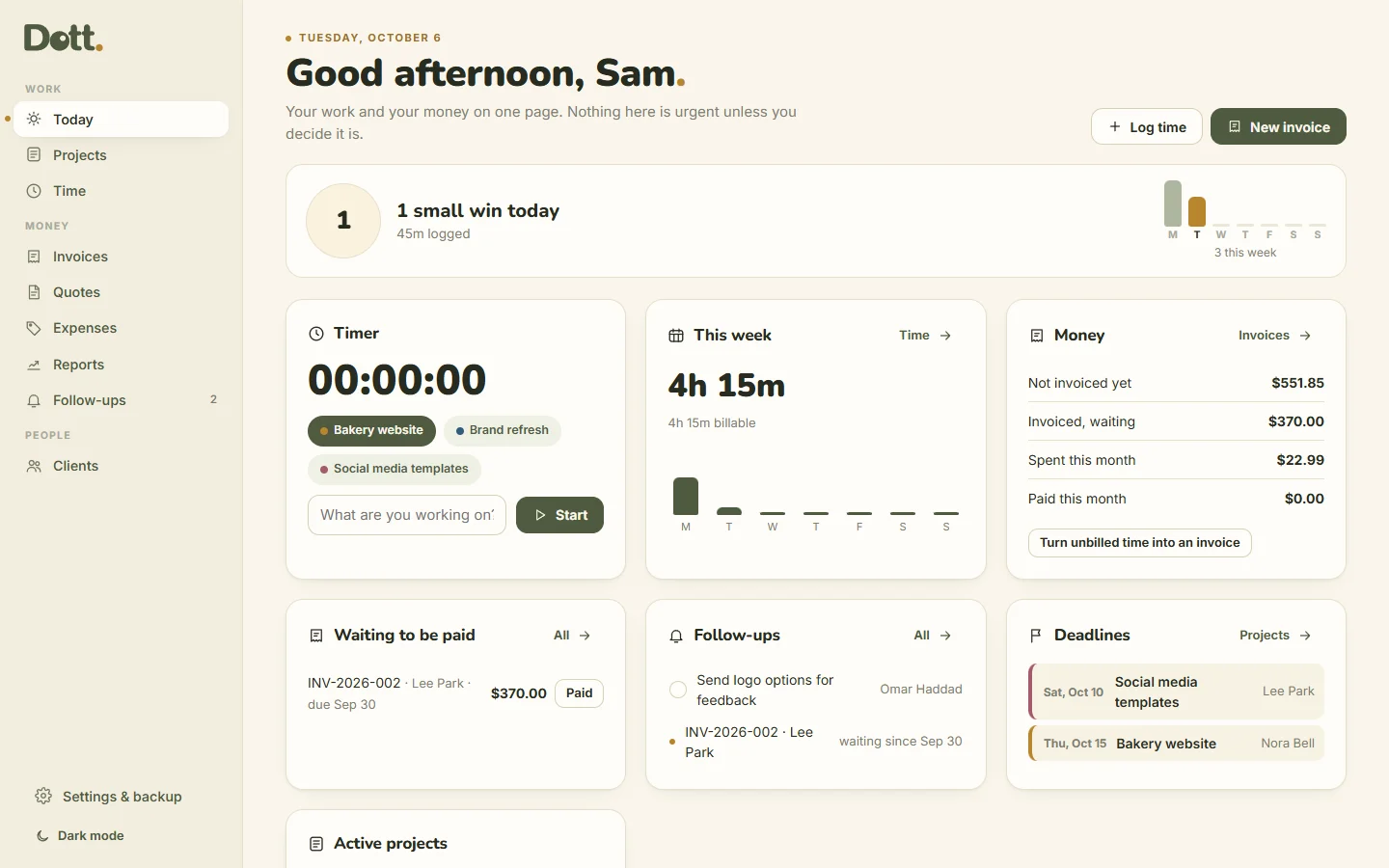
- Waiting to be paid: mark an invoice as paid from Today.
- The day adds up: time logged, invoices written and paid, follow-ups done.
- A soft "+1 small win" when you tick. No streaks, and nothing turns red.
Your whole business, calmly.
Today, on one page
The timer, this week's hours, what's not invoiced yet, invoices waiting, follow-ups and deadlines.
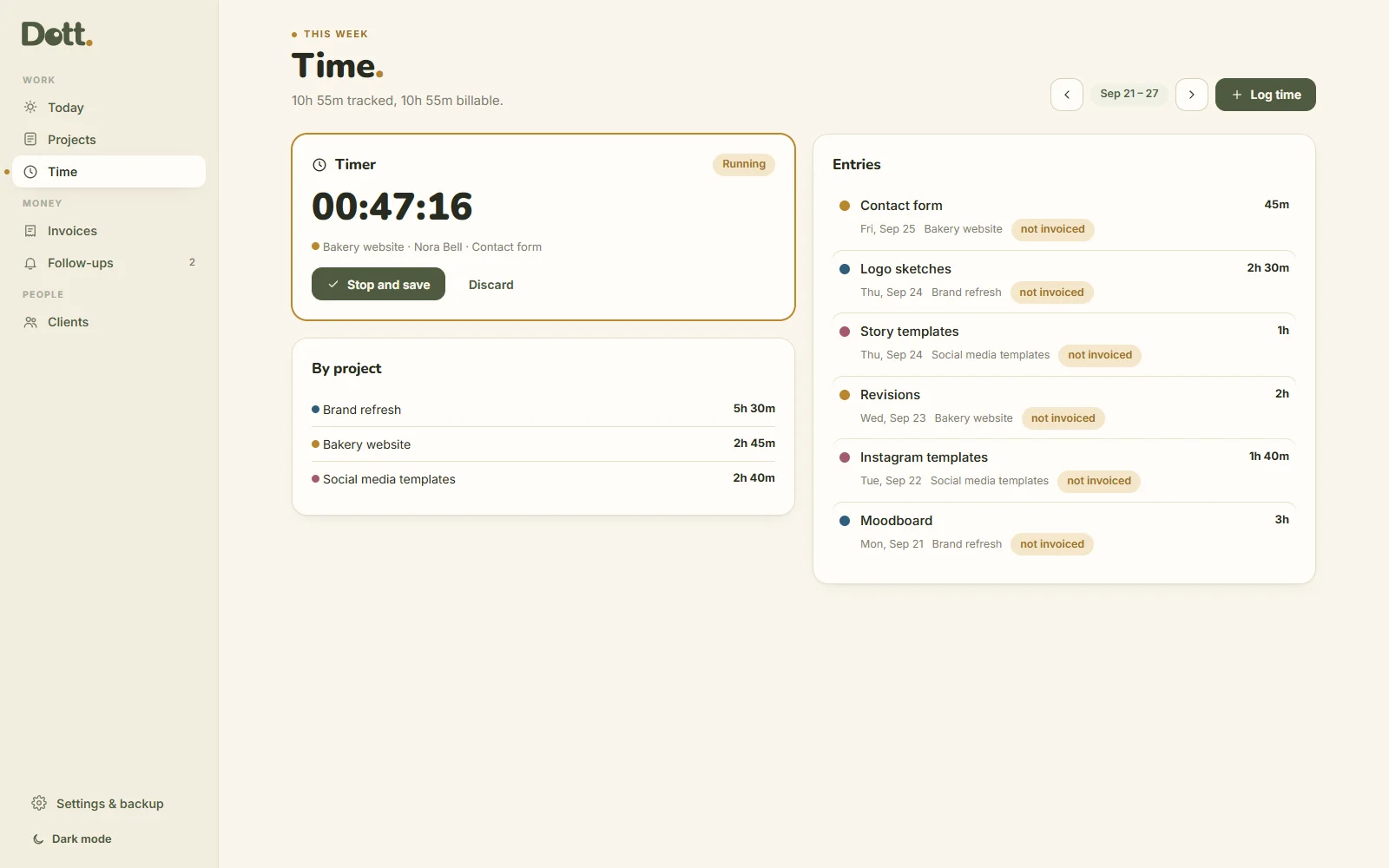
Time that adds up
Start the timer on a project, or log time afterwards with a note that appears on the invoice. The week adds up by project.
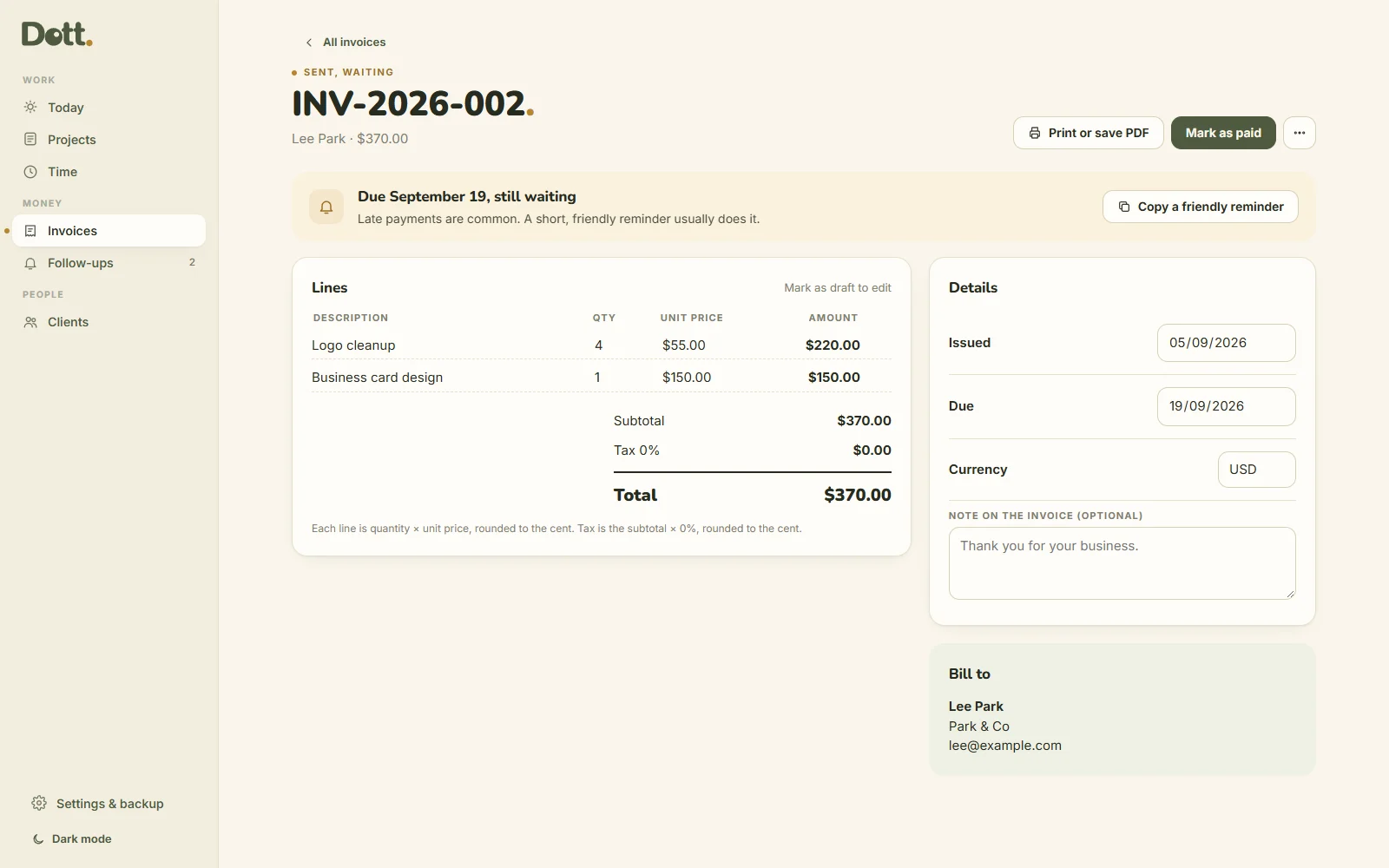
Invoices from your time
Pick a client: their unbilled hours become invoice lines. Each line is quantity × price, rounded to the cent, with tax if you need it. Print a clean PDF with your details.
Clients and projects
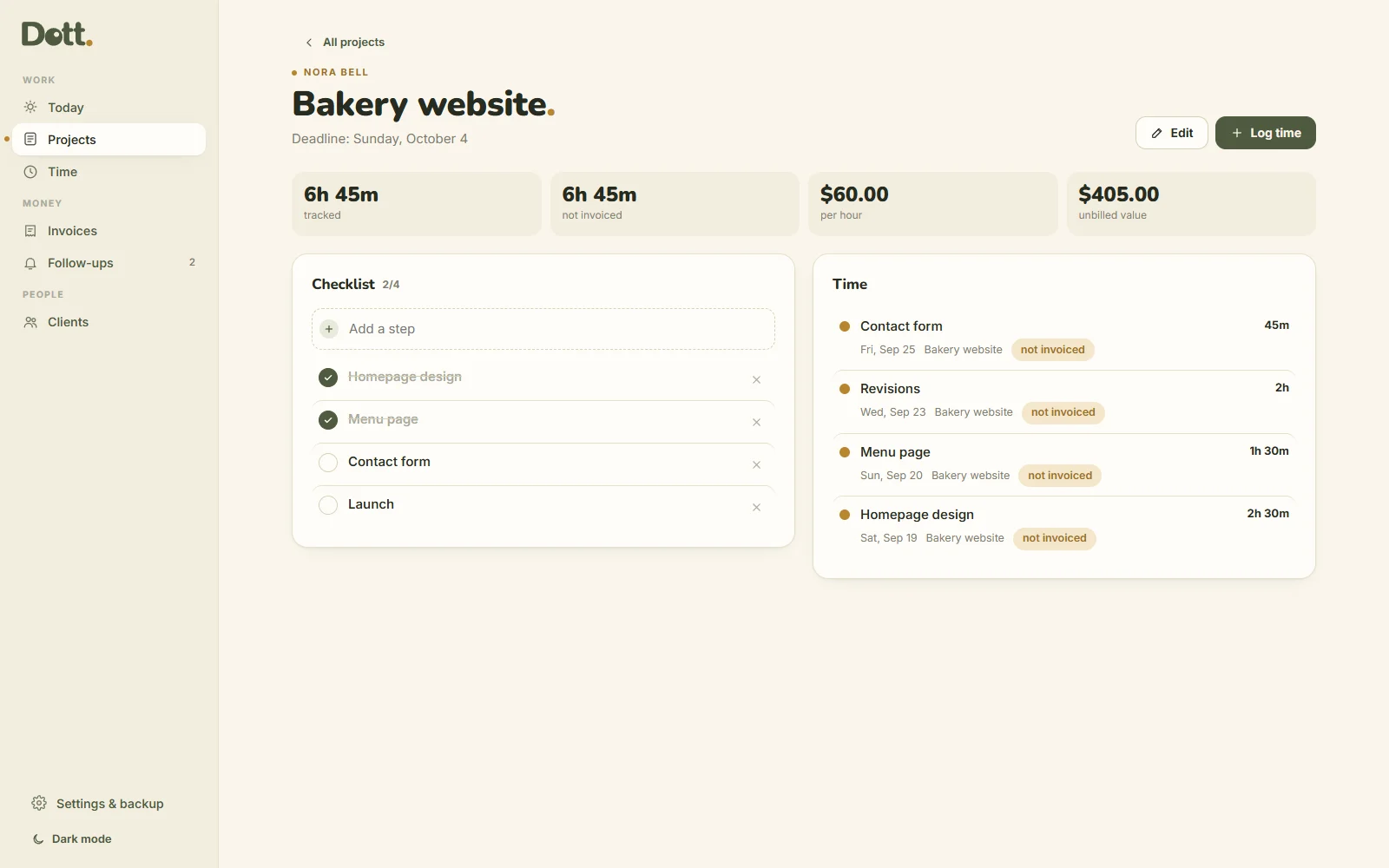
Each client has a rate and currency. Each project has a deadline, a checklist, and shows what you're earning per hour on fixed prices.
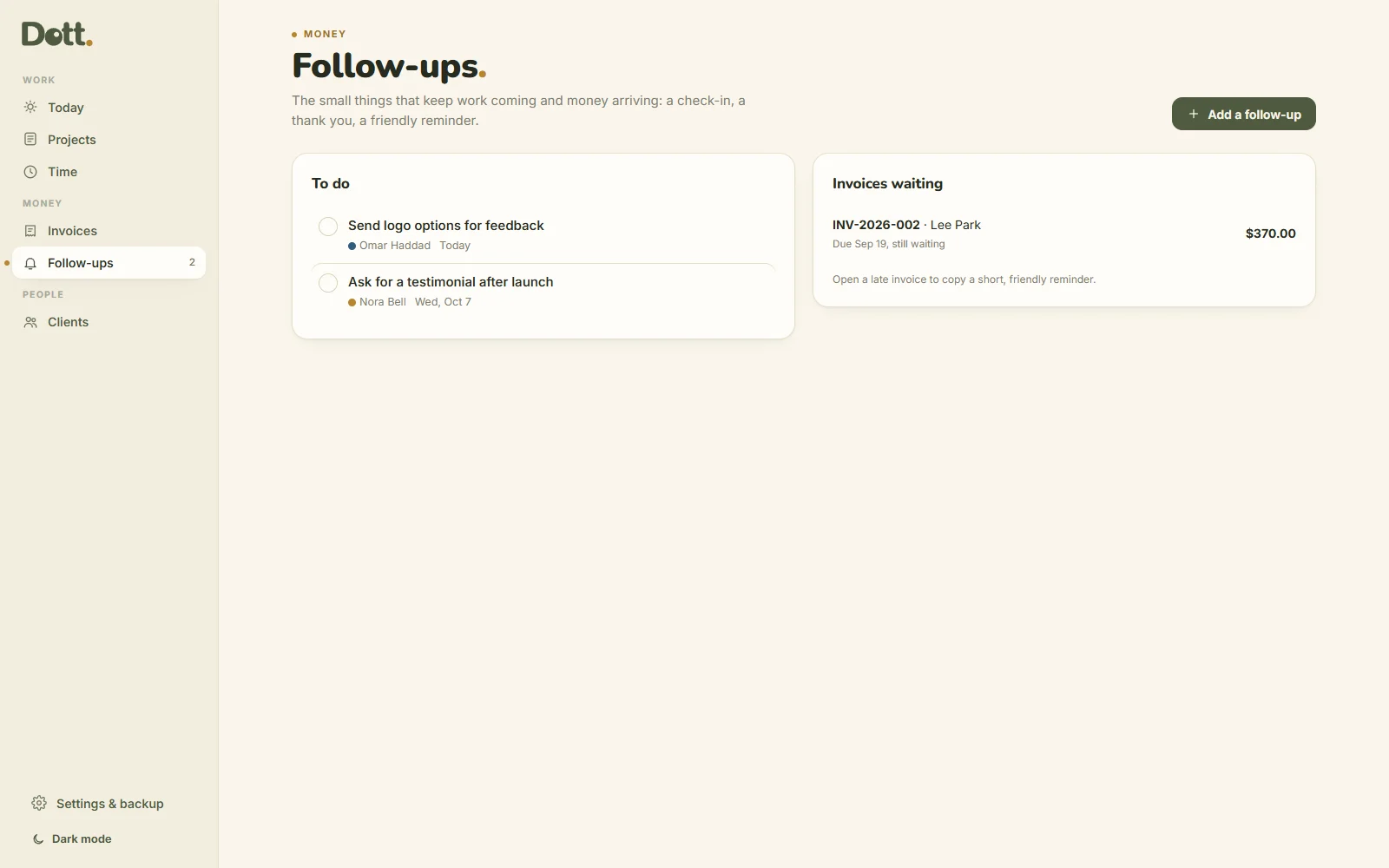
Friendly follow-ups
Check-ins, testimonial requests, and late invoices that wait calmly with a polite reminder you can copy.
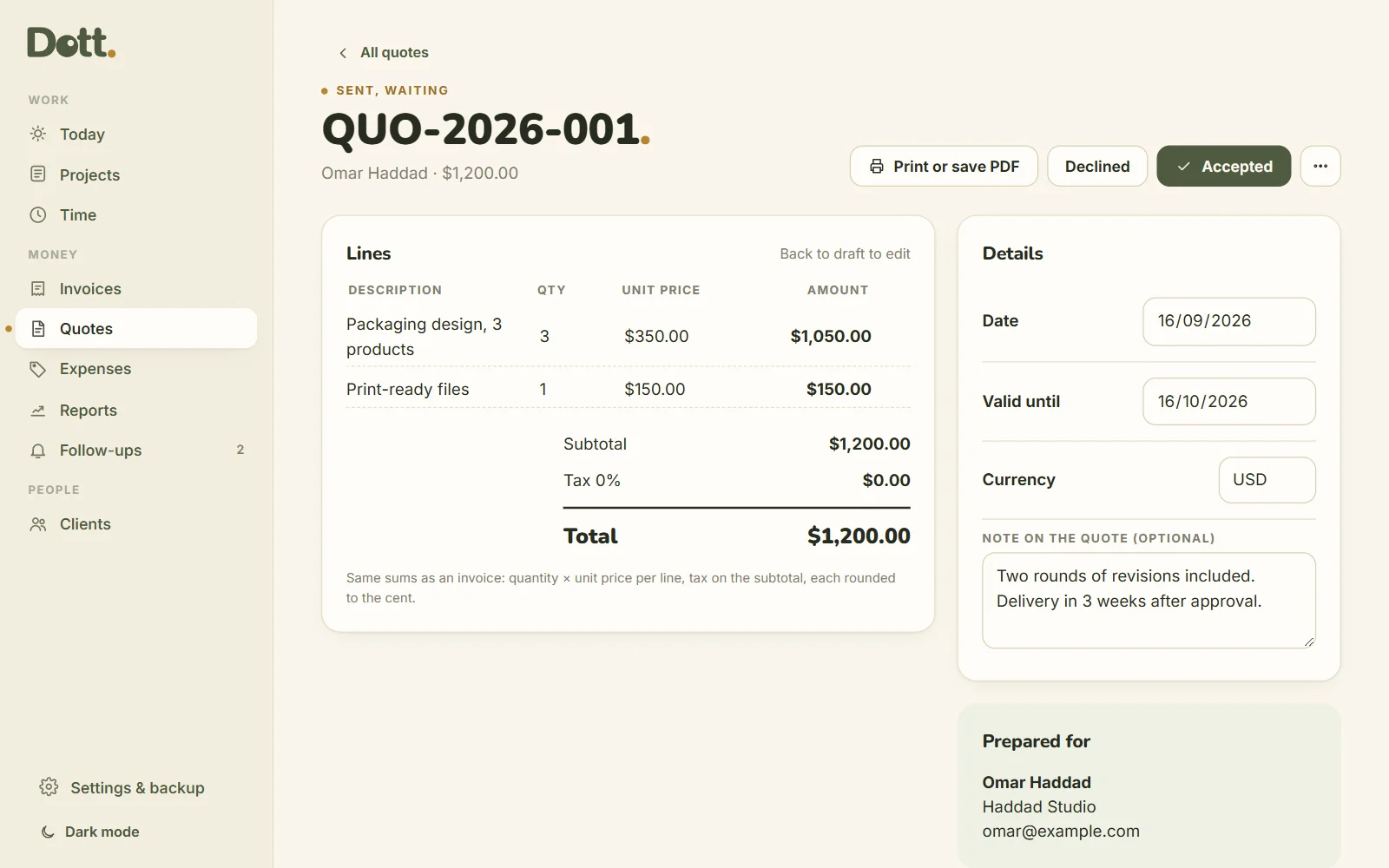
Quotes that become invoices
Send a clear price before the work starts, in the same clean design as your invoices. When the client says yes, turn the quote into an invoice in one tap.
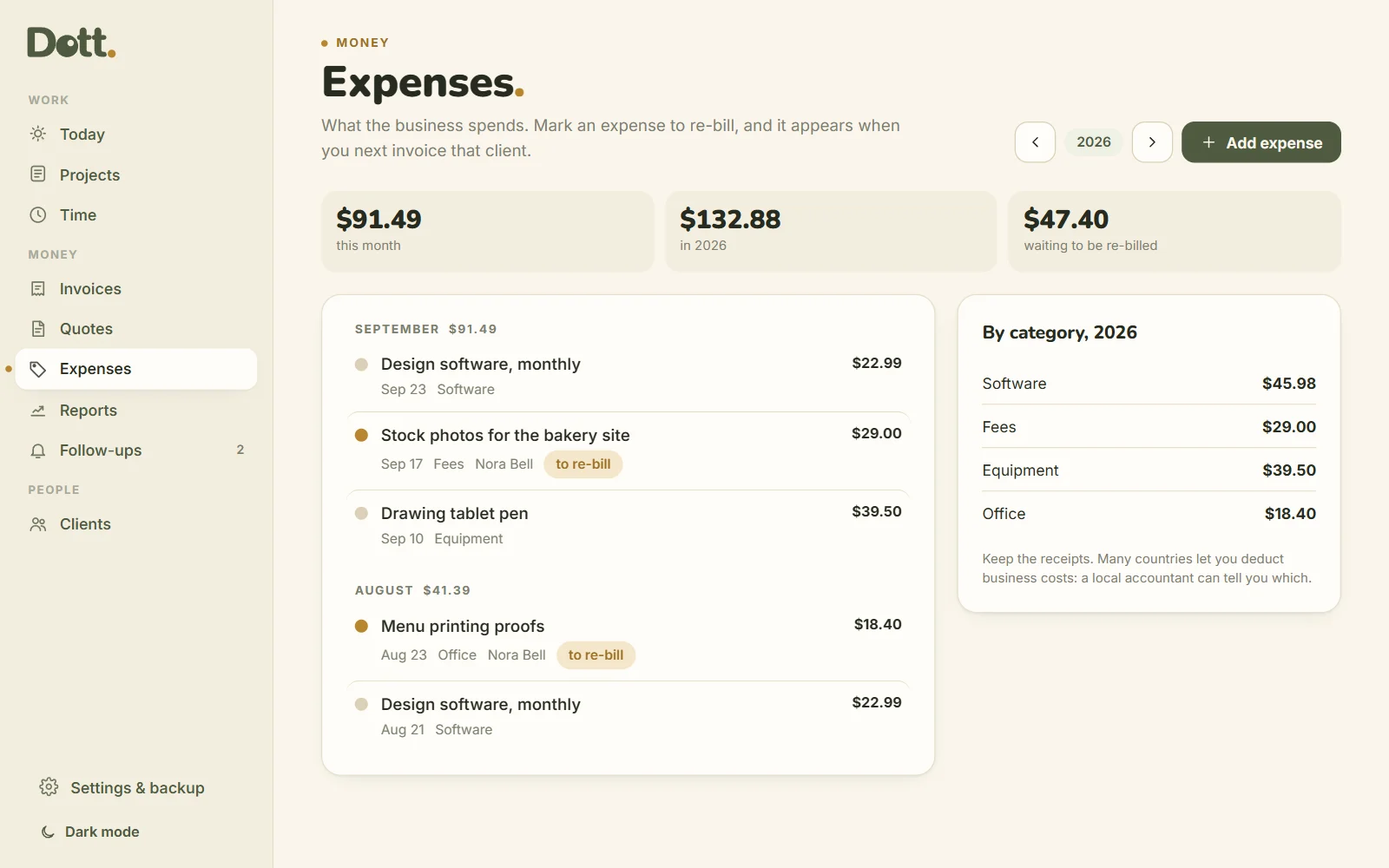
Expenses, and re-billing
Software, equipment, travel, by category. Mark an expense to re-bill and it appears on that client's next invoice.
Reports, per currency
Income, expenses and profit month by month, and a simple "set aside for tax" line: profit × the % you choose. Nothing is converted, so every number is one you can check.
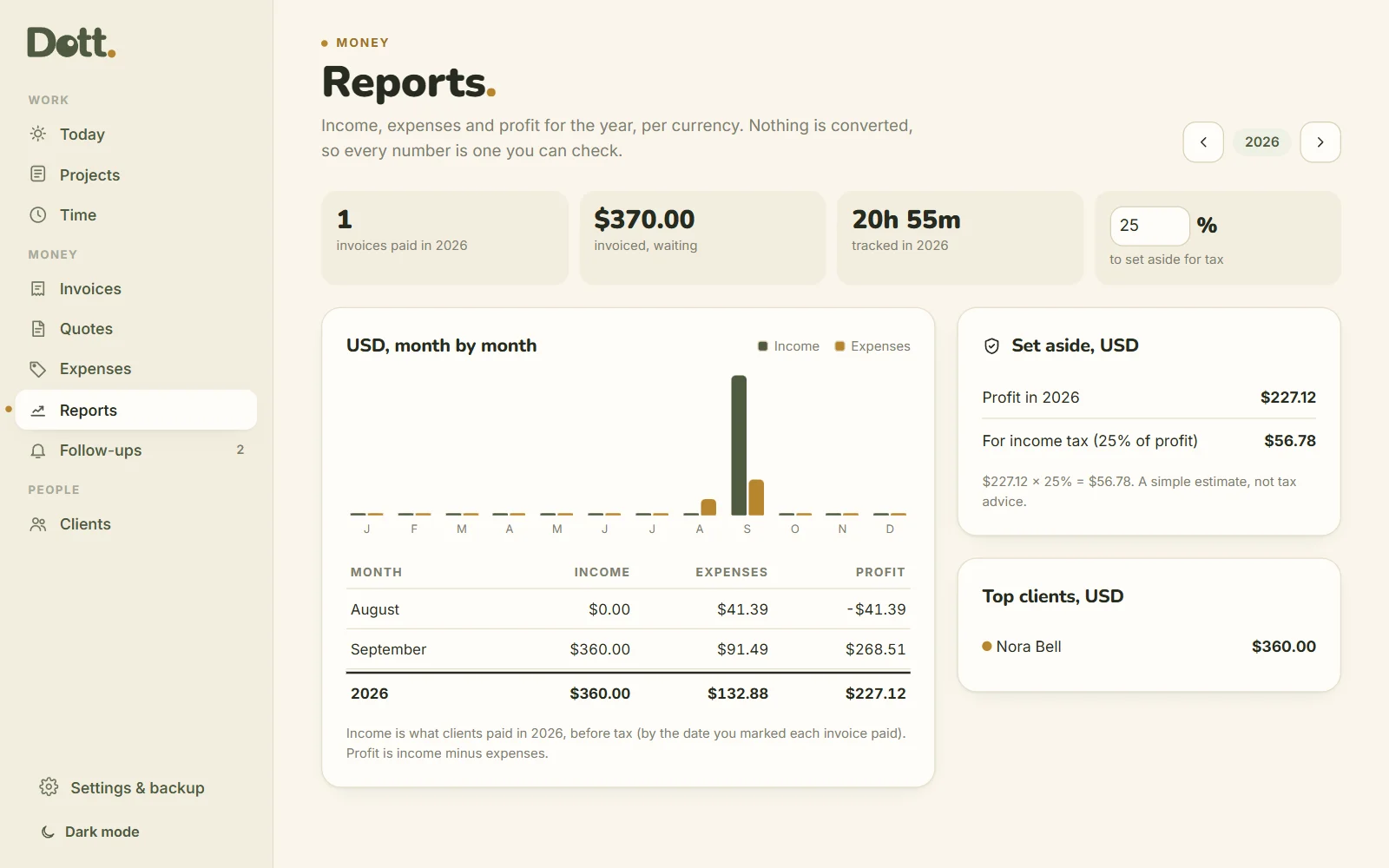
At the client's office too.
Open your laptop, start the timer when the meeting starts, check what's waiting to be paid, copy a reminder between calls.
- Best on your laptop
- Works offline
- Backup file to move between them
One price. Yours to keep.
Dott. Freelance
Paid once. No subscription.
Updates to version 1 are free.
- The appOne HTML file, best on your laptop.
- 9-page guideEvery screen explained with pictures.
- Printables BonusClient brief, project plan, time sheet, invoice log, month review, leads and follow-ups.
50% off until Friday 31 October 2026, then $49.99. Secure checkout on Payhip, instant download, 14-day refund.
For the first call and the month end
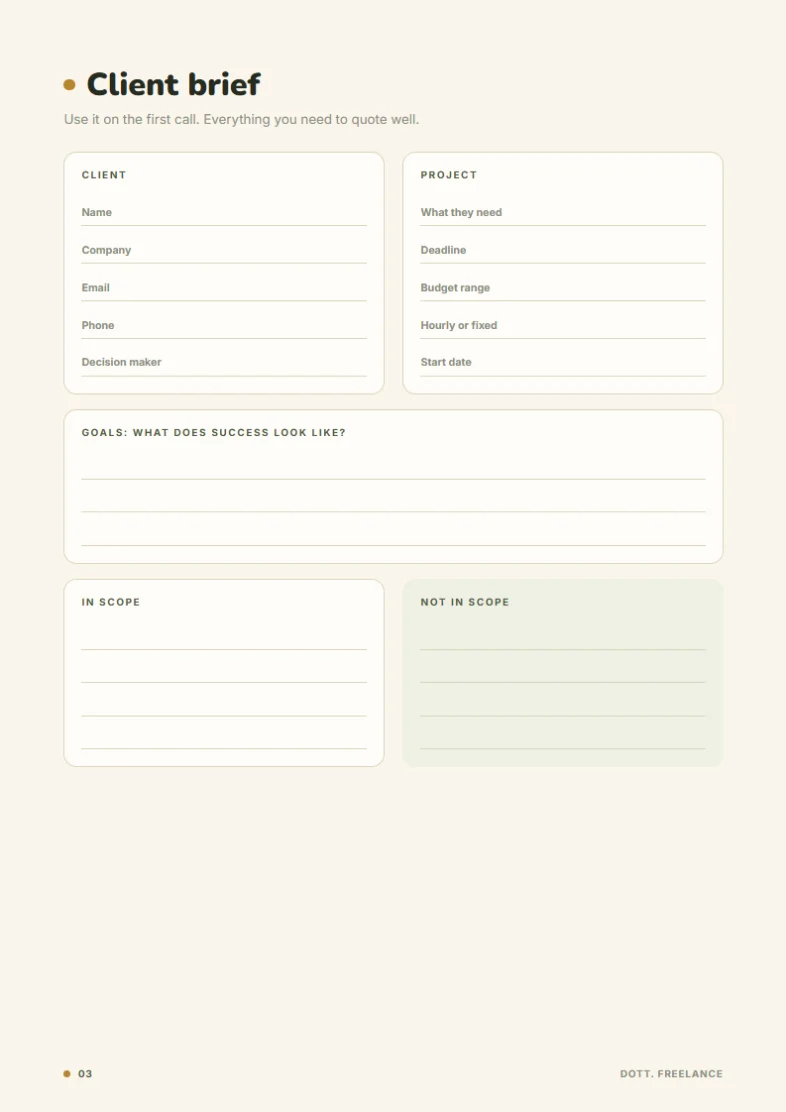
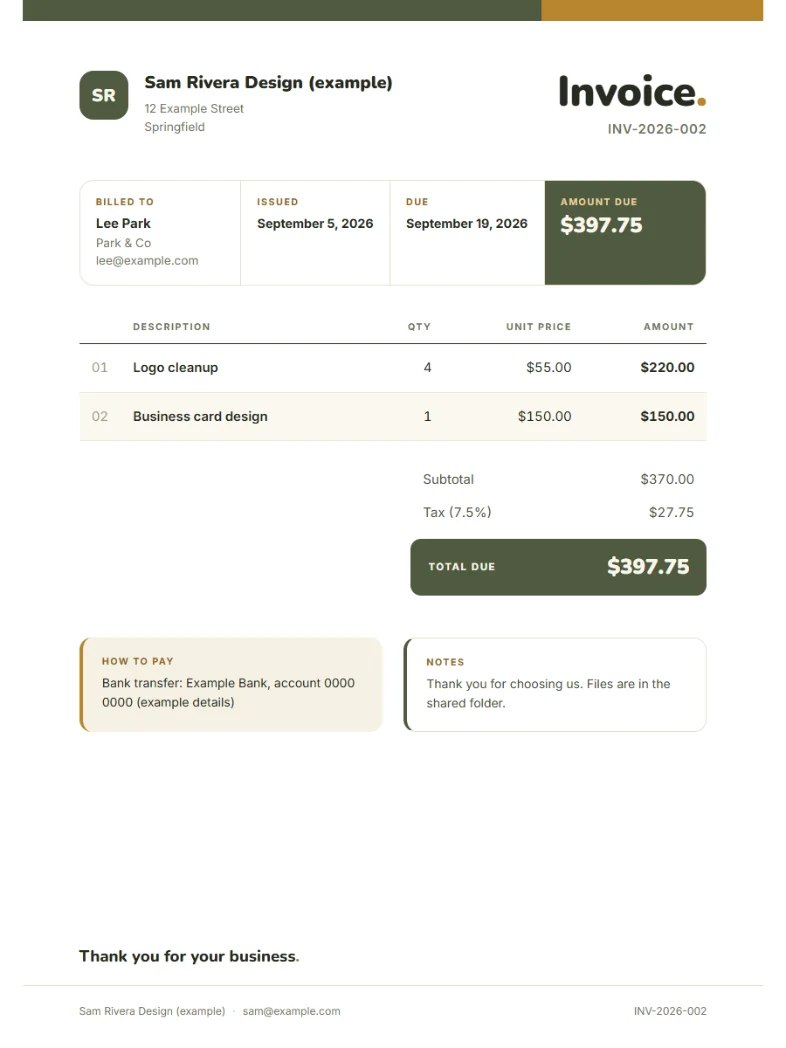
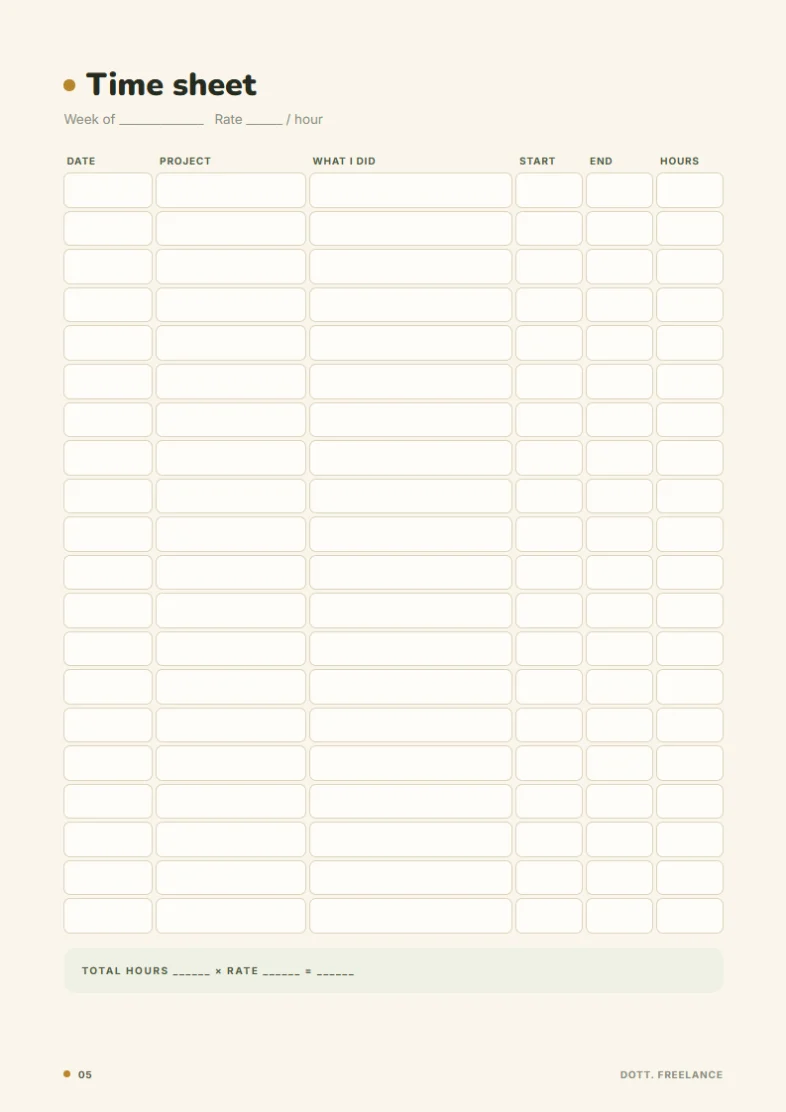
- Client brief
- Project plan
- Time sheet
- Invoice log
- Month review
- Leads & follow-ups
Good to know.
Does it take payments?
No. It makes the invoice. Clients pay you the way you write in Settings: bank transfer, PayPal, Wise or anything else.
Does it handle tax?
It adds the tax percentage you set, rounded to the cent, and shows it on the invoice. Tax rules differ by country, so check with a local accountant what you need to charge.
Can I bill in different currencies?
Yes, one currency per client. Totals are shown per currency and never converted.
Where is my data stored?
Only in your browser, on your device. There's no account and no cloud. Download a backup every week and keep the PDFs of the invoices you send.
Is it a subscription?
No. $25 once.
Write to a human.
A person reads every message.
Less admin. More work you're paid for.
Add your business details and first client tonight. Tomorrow, start the timer.
- Instant download
- One-time payment
- Works offline
- Stays on your device