Behind? The plan adjusts.
Classes, homework and exams in one calm place. List what you have to revise, and Dott. spreads what's left over the days you have. Every day.
It opens like an app from your own link, on your laptop, tablet or phone. No account, no app store, no monthly fee, and everything stays on your device.
- Revision that adjusts
- Works offline
- School or university
- Pay once, keep it
$20 once. Never a subscription.
Built for the week you actually have.
Study plans are made on good days and broken by the first busy week. Then everything piles up on the last night. Dott. Study re-plans every day, so there's always a doable amount for today.
A strict planner
- Missed a revision day? Now you're "behind"
- Overdue homework in red
- Everything crammed the night before
- Your data on someone's server
Dott. Study
- Topics left ÷ days left, every day
- Late work waits calmly in Still to do
- A small, doable share for today
- Everything stays on your device
Today's revision can be finished.
Your share for the day is set in the morning, and what you ticked stays in sight.
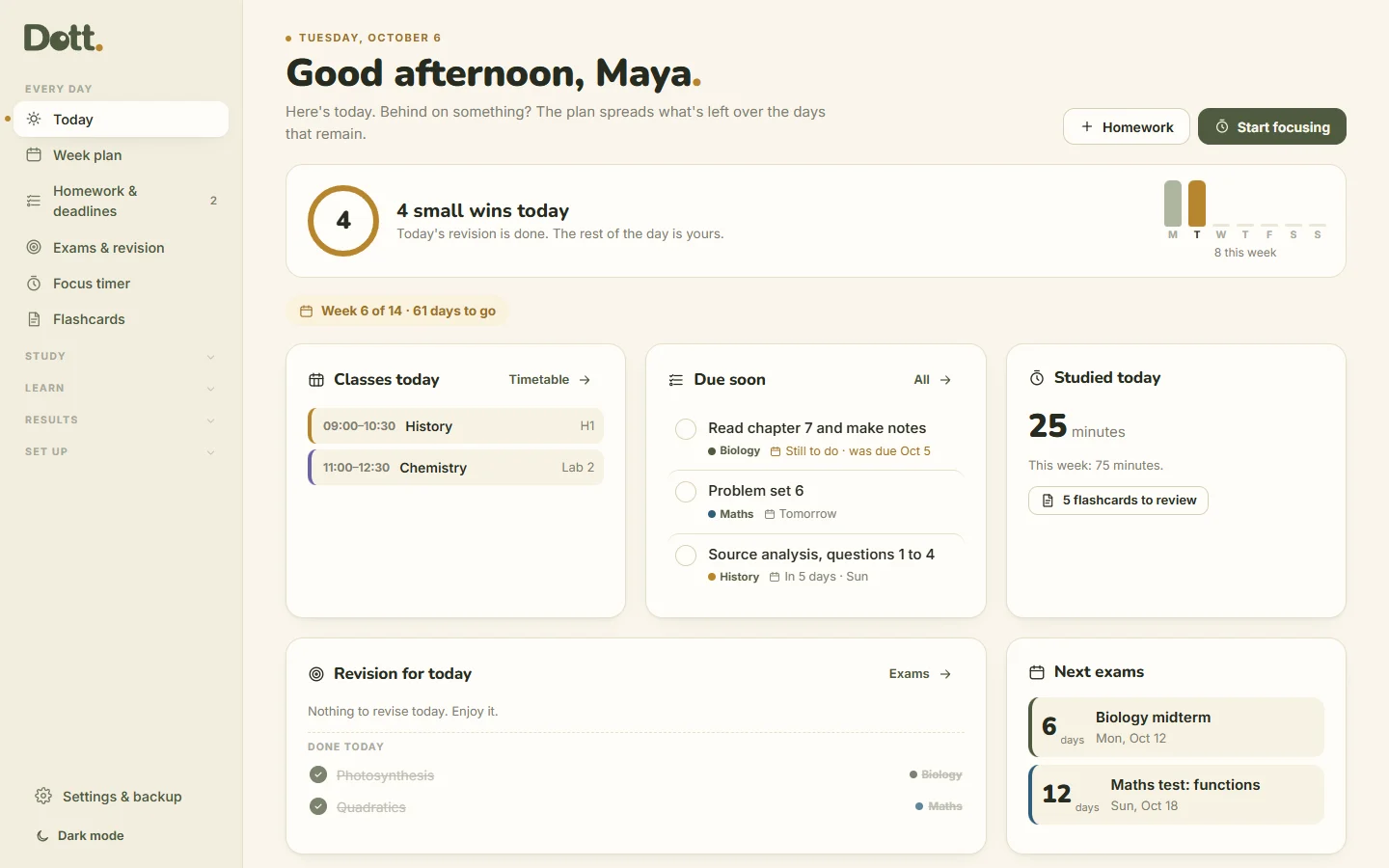
- Small wins: Today counts what you ticked: topics revised, homework done, focus sessions and flashcards.
- Today's revision can be finished: your share is set in the morning, and ticked topics stay under Done today.
- Flashcards that are due are one tap from Today.
- A shorter menu: the pages you open every day first, the rest one tap away.
- A soft "+1 small win" when you tick. No streaks, and nothing turns red.
Your whole term, calmly.
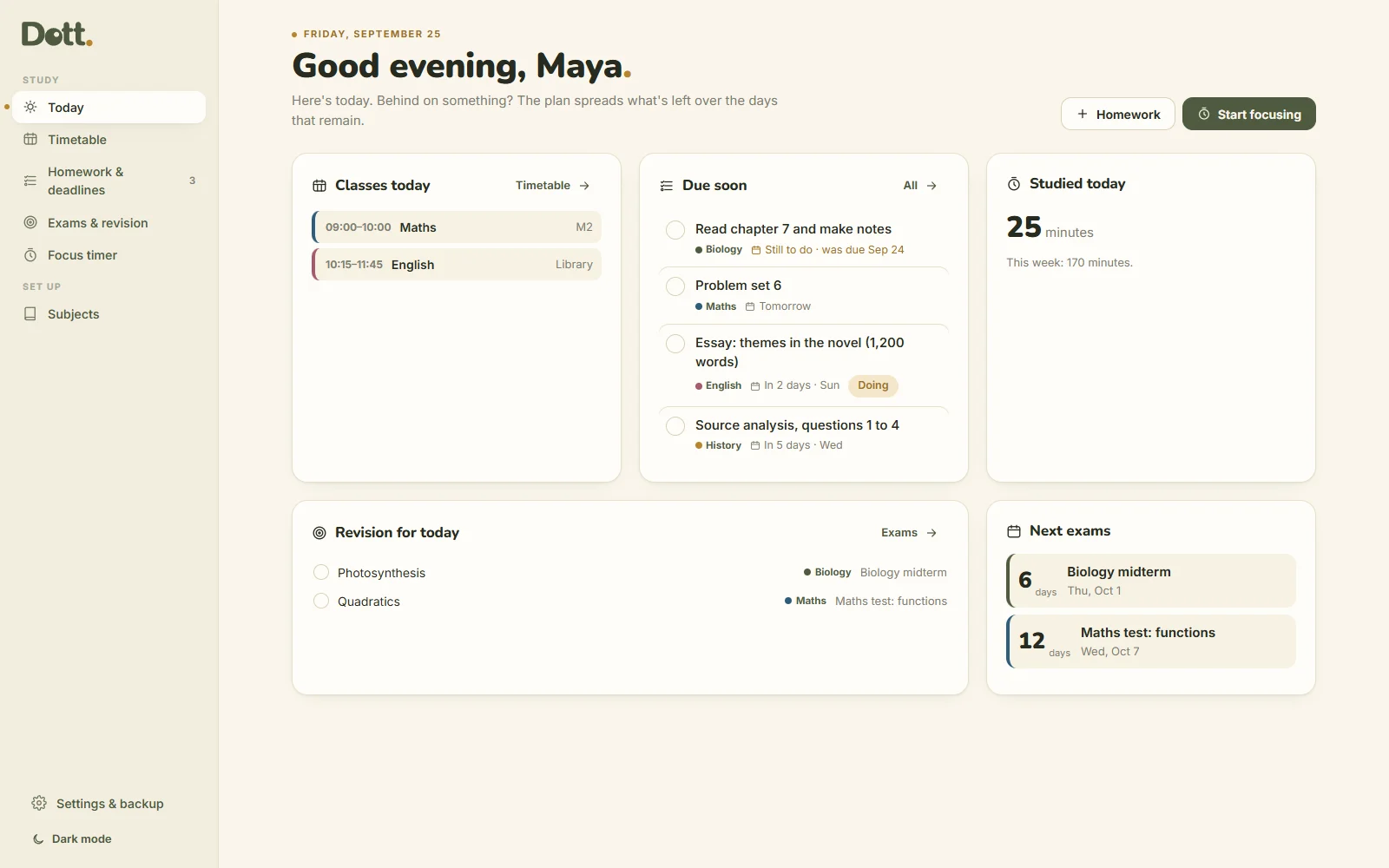
Today, on one page
Your classes, what's due in the next seven days, today's revision for every exam, and how long you've studied.
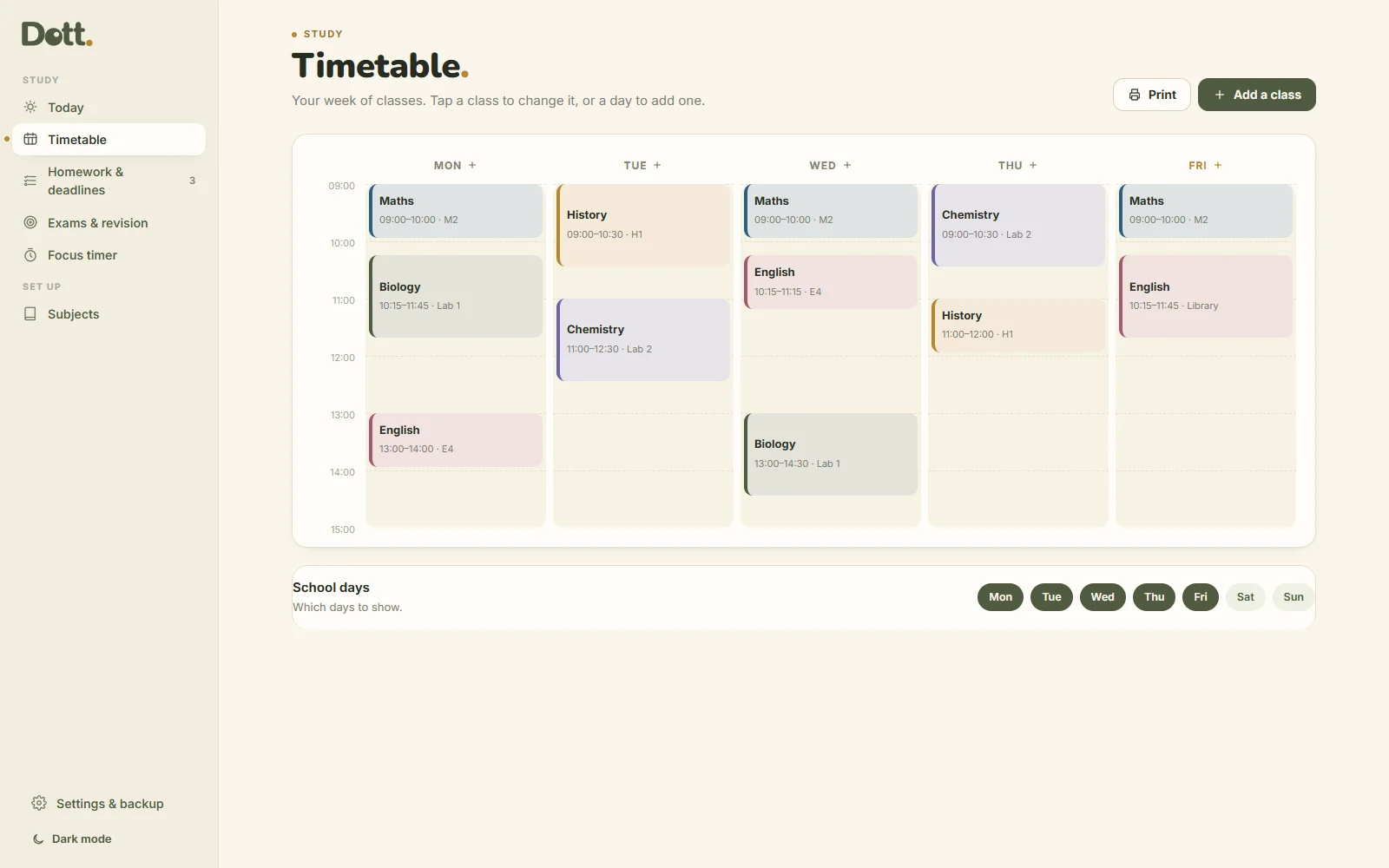
A timetable in colour
Each subject has its own colour. Add a class in seconds, fill the week quickly, and print it for your folder.
Homework and deadlines
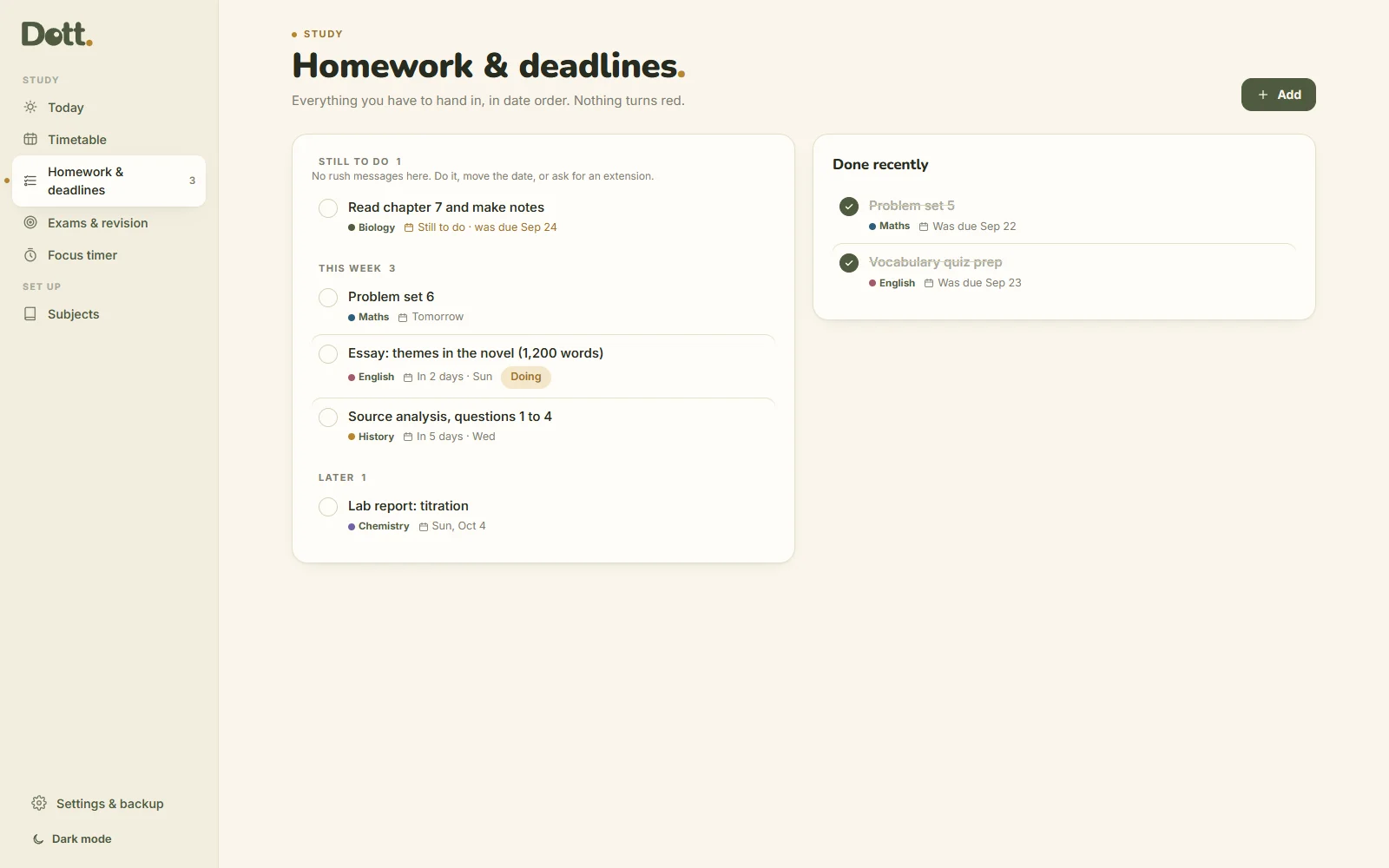
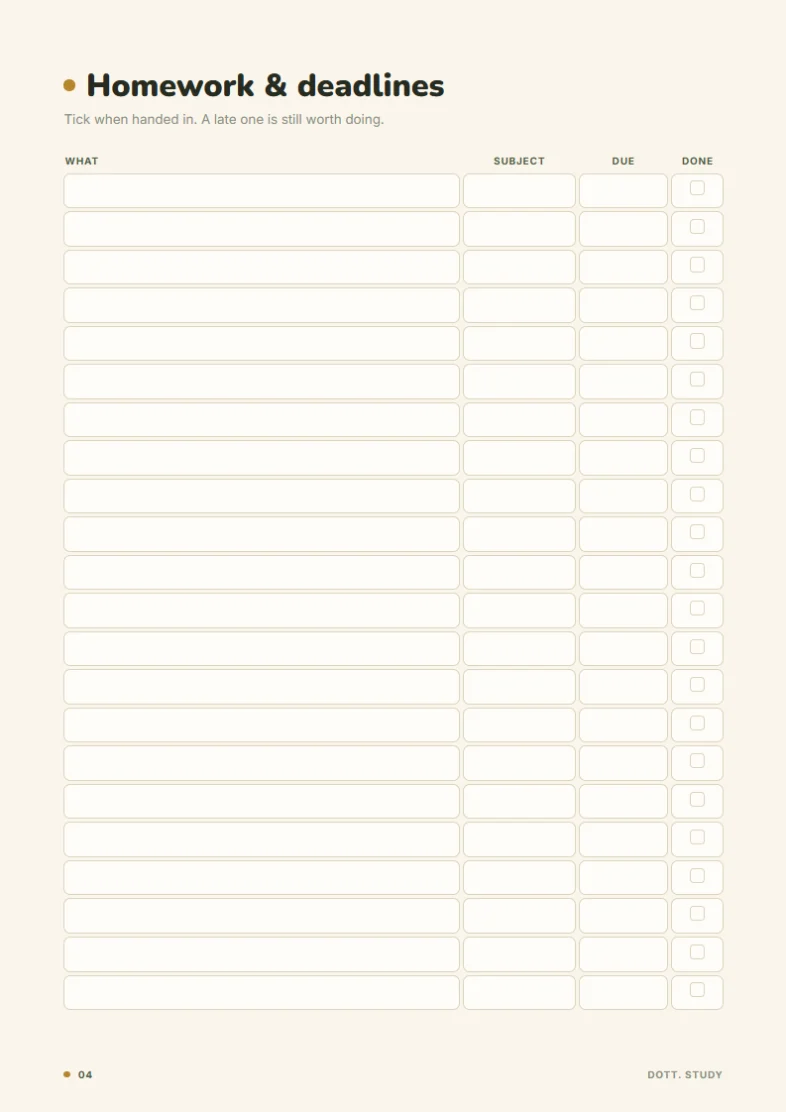
Everything you have to hand in, in date order: this week, later, no date. If a date passes, it waits in Still to do, never in red.
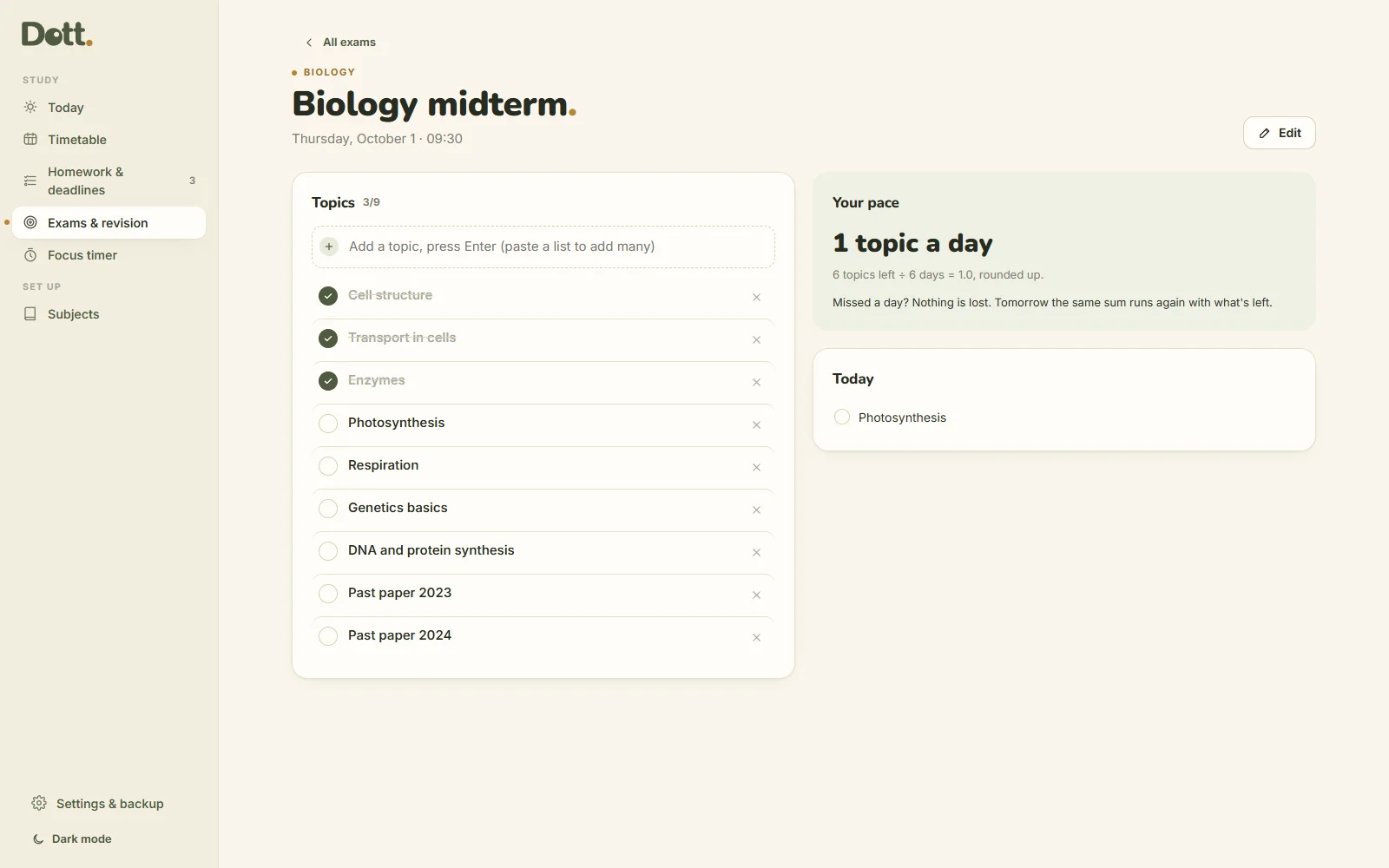
Exams with a revision pace
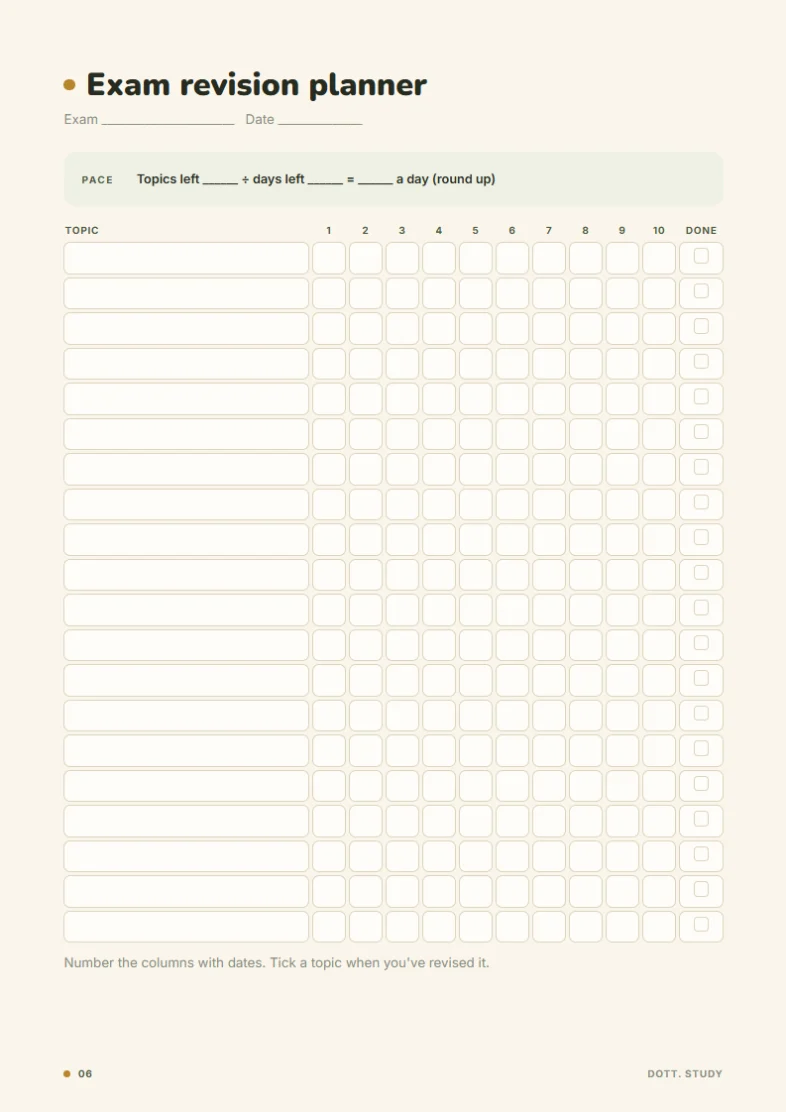
List the topics for each exam. Dott. divides what's left by the days you have and shows today's share, with the arithmetic so you can check it.
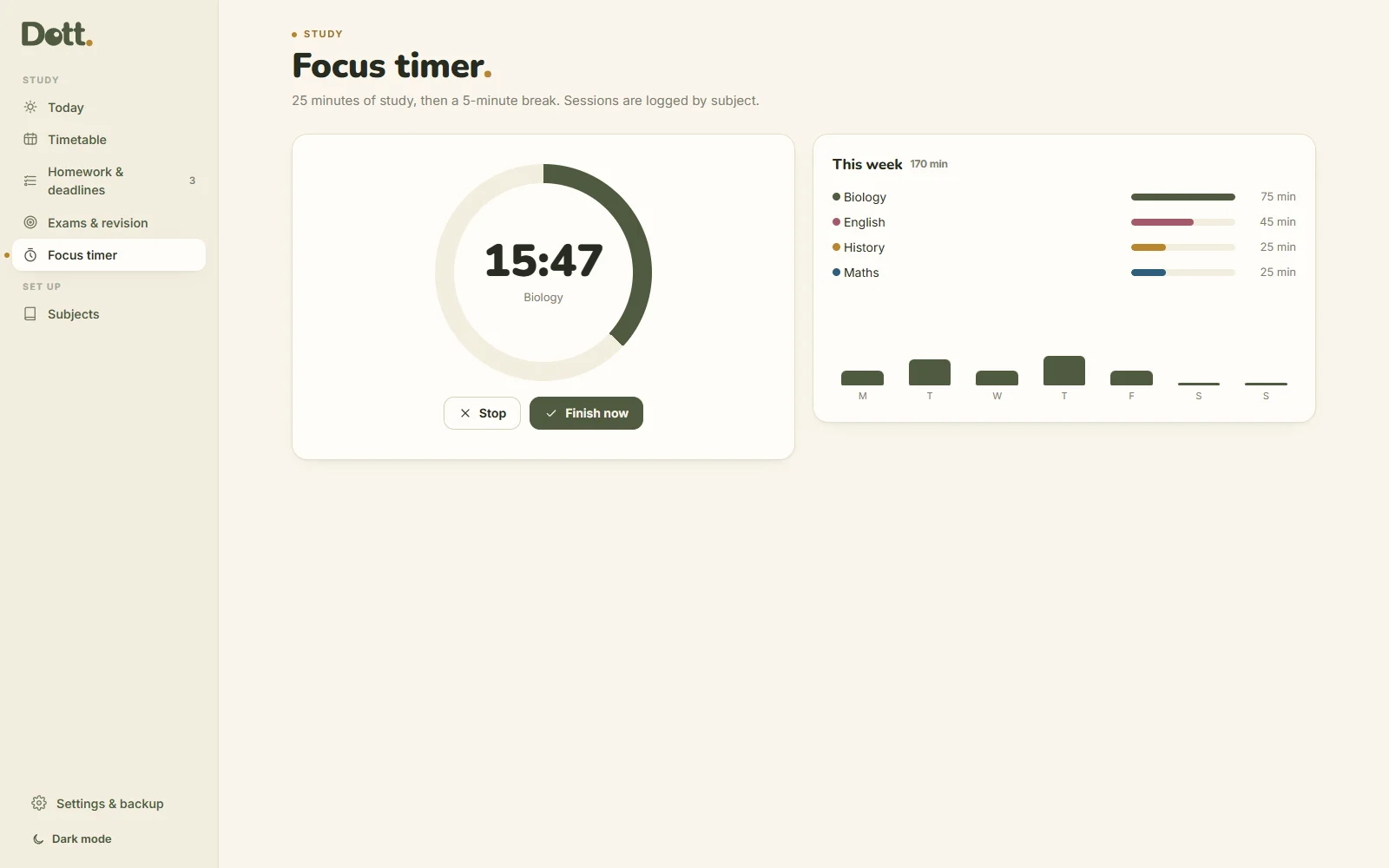
A focus timer
15, 25, 45 or 50 minutes, then a break. Sessions are logged by subject, so you can see your week without keeping score.
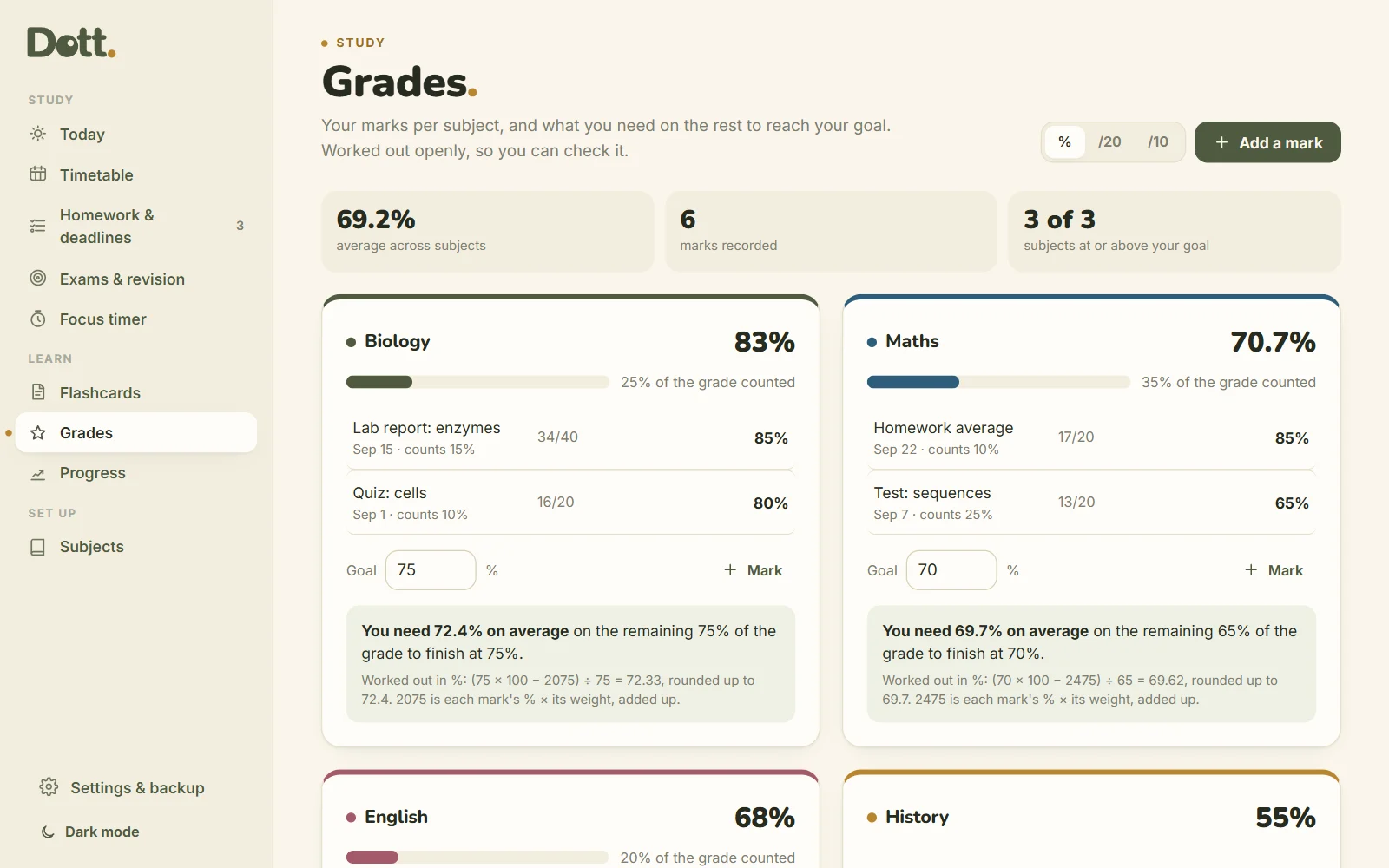
Grades, and what you need
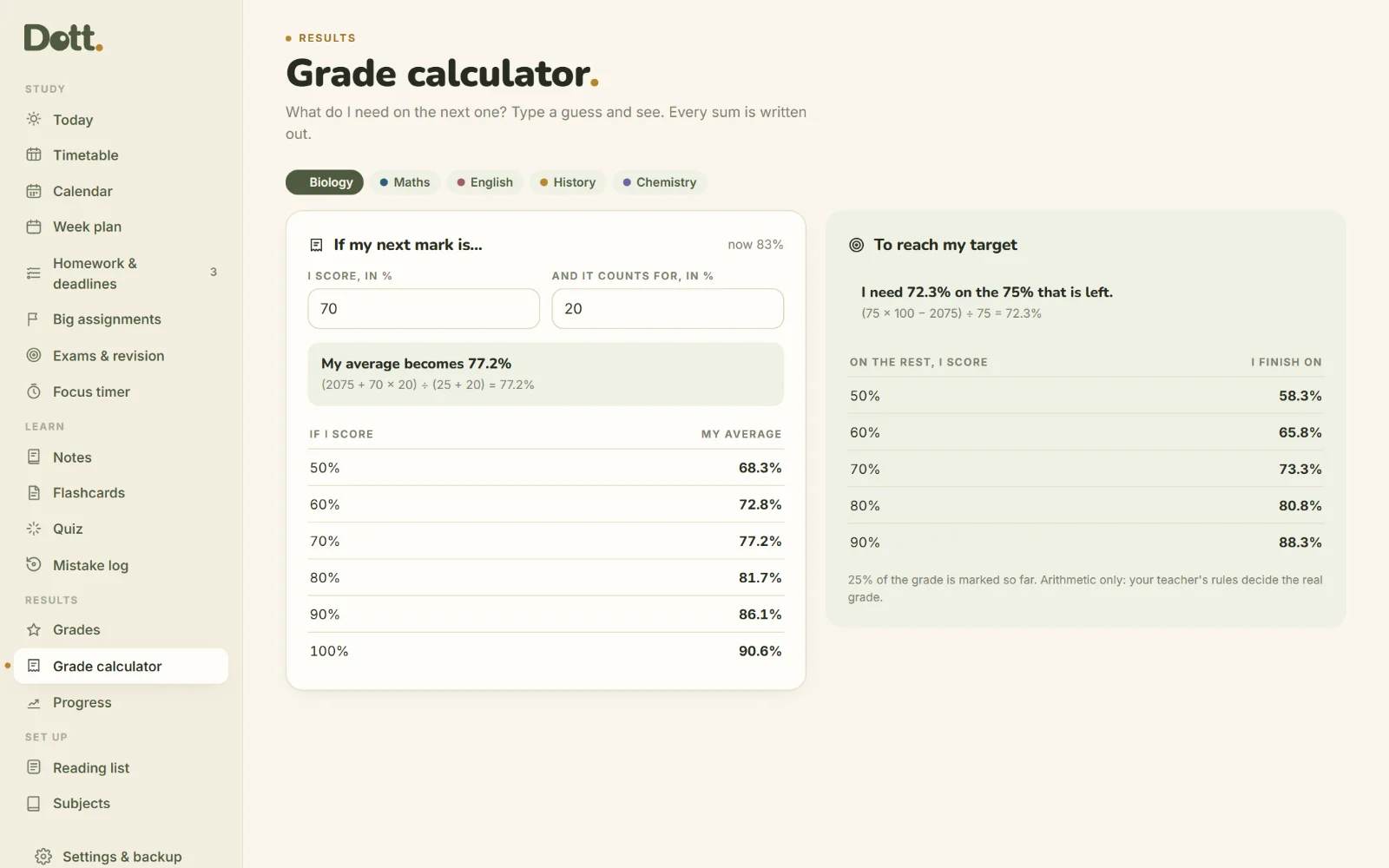
Add your marks and how much each counts. See your average per subject in %, out of 20 or out of 10, and the mark you need on the rest to reach your goal. The working is shown, so you can check it.
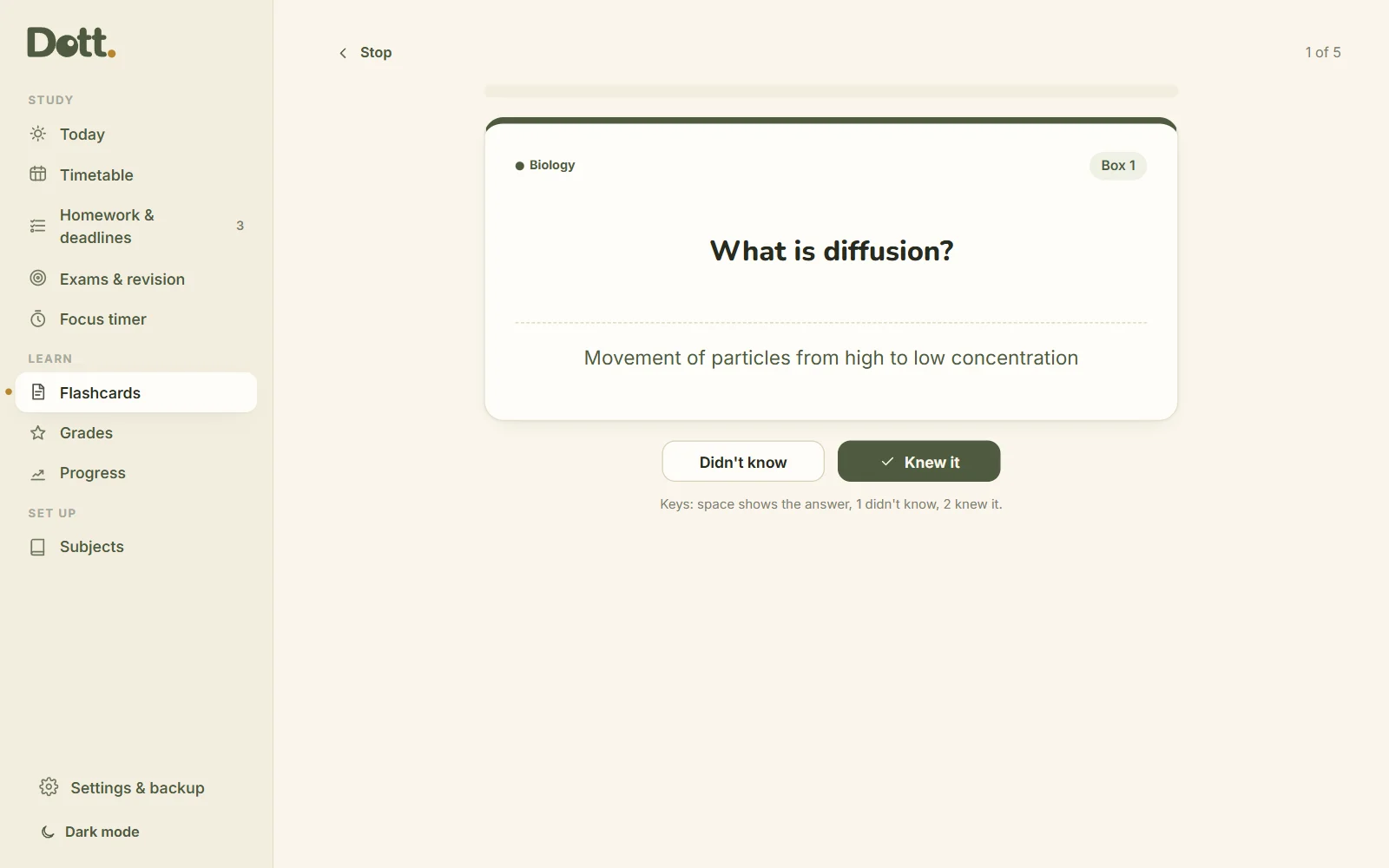
Flashcards that space themselves
Paste "question | answer", one per line. Cards you know come back less often, cards you miss come back tomorrow. Review with the keyboard, or print them as paper cards.
Progress, without streaks
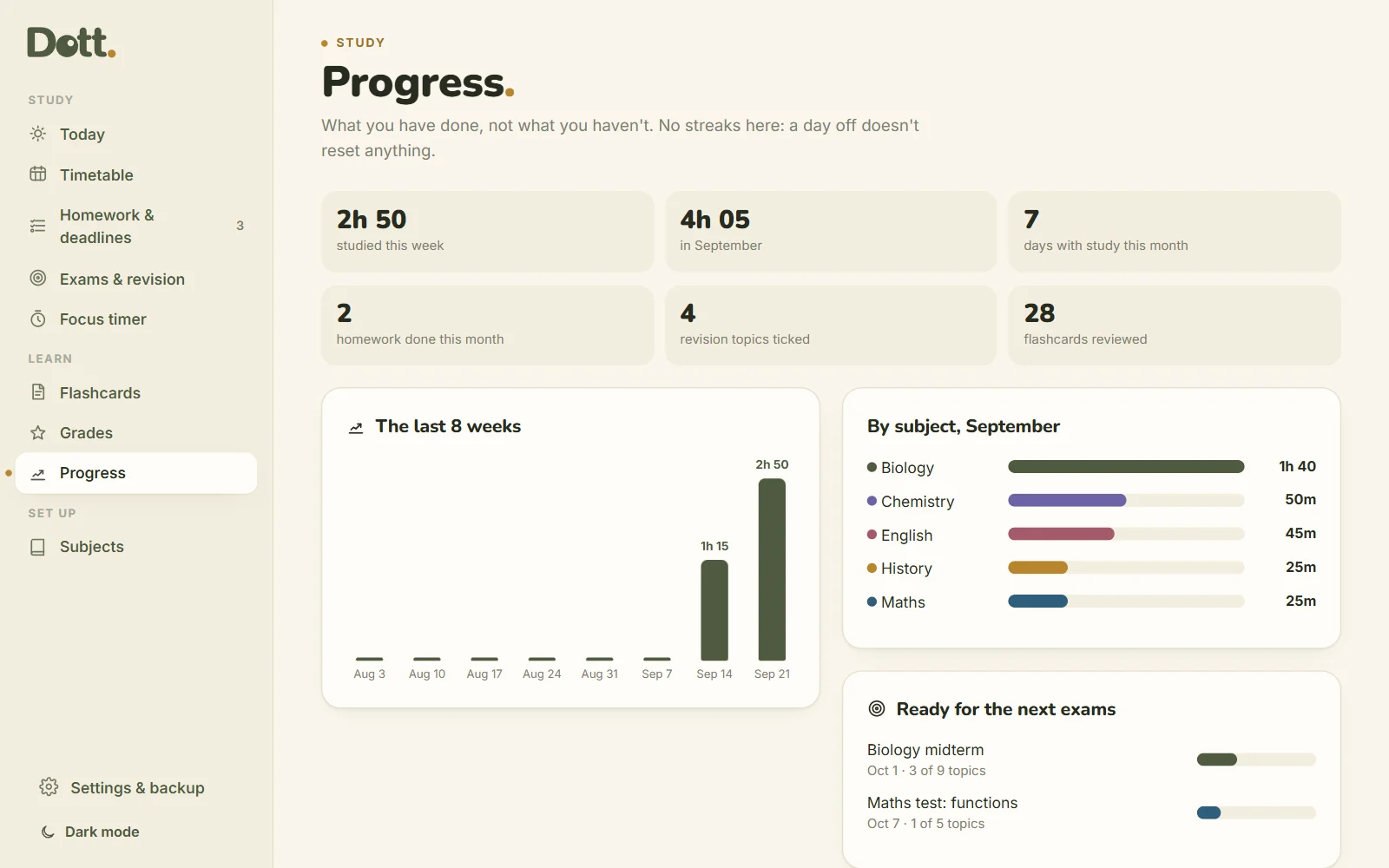
Time studied, homework done, topics revised and cards reviewed, with the last 8 weeks at a glance. A day off doesn't reset anything.
From first lecture to final exam.
Nine new pages, free for everyone who already has Dott. Study.
Notes, the Cornell way
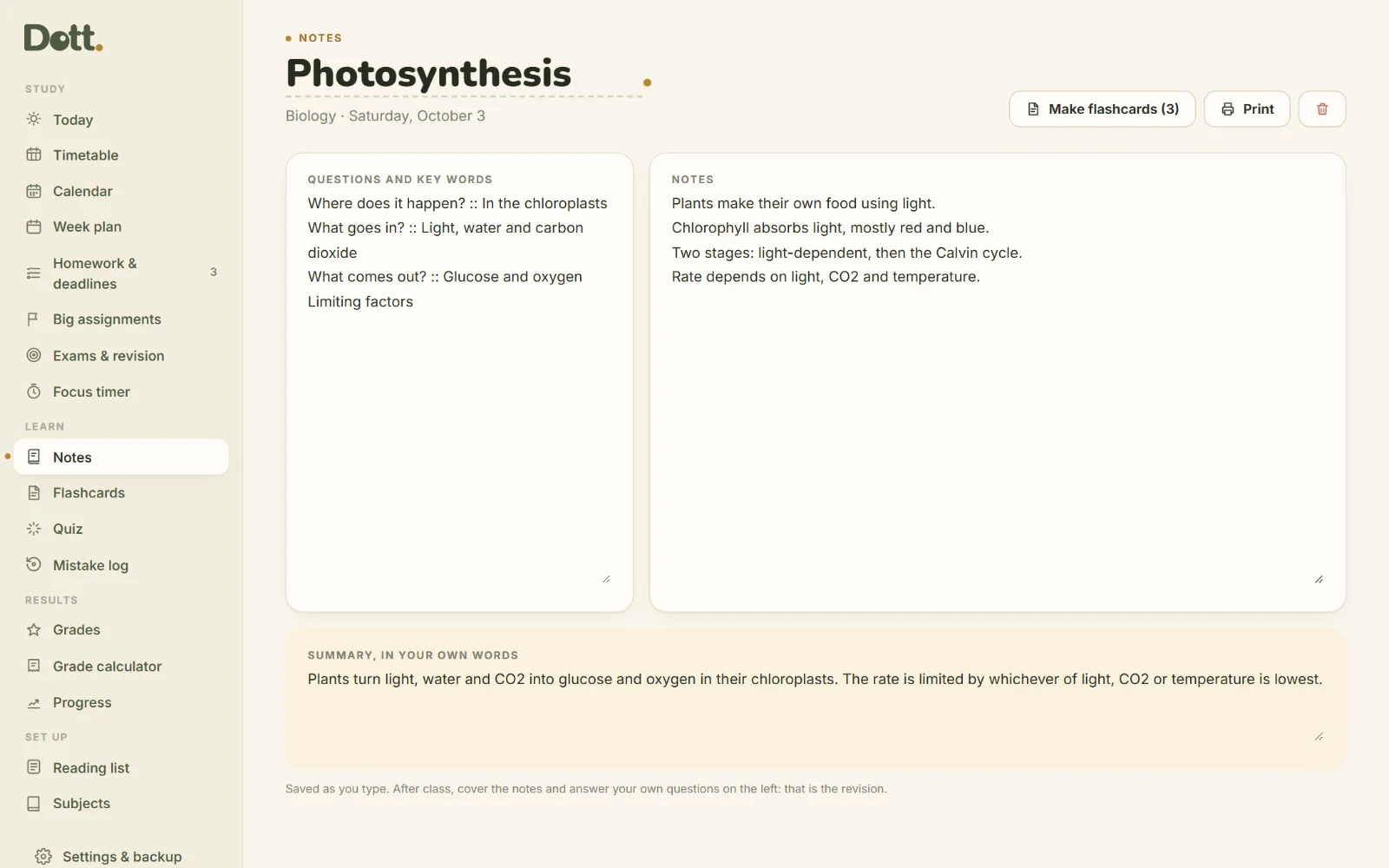
Questions on the left, notes on the right, a summary in your own words. Write a line as question :: answer and it becomes a flashcard.
Quiz yourself first
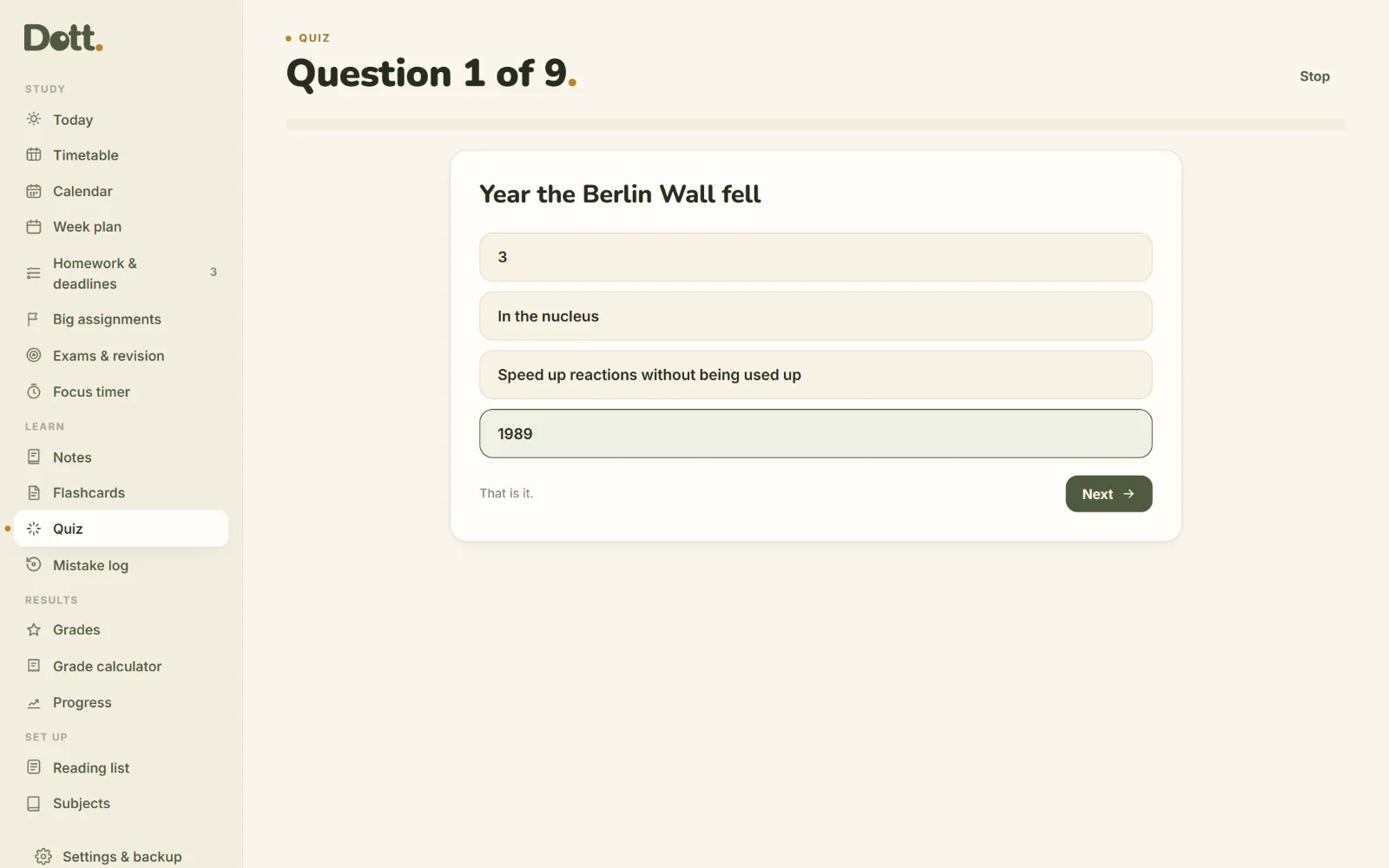
Up to ten questions built from your own flashcards, four answers each. The ones you miss come back in Flashcards today.
What do I need on the next one?
Type a guess and see your new average, or see what you need on the rest to reach your target. Every sum is written out.
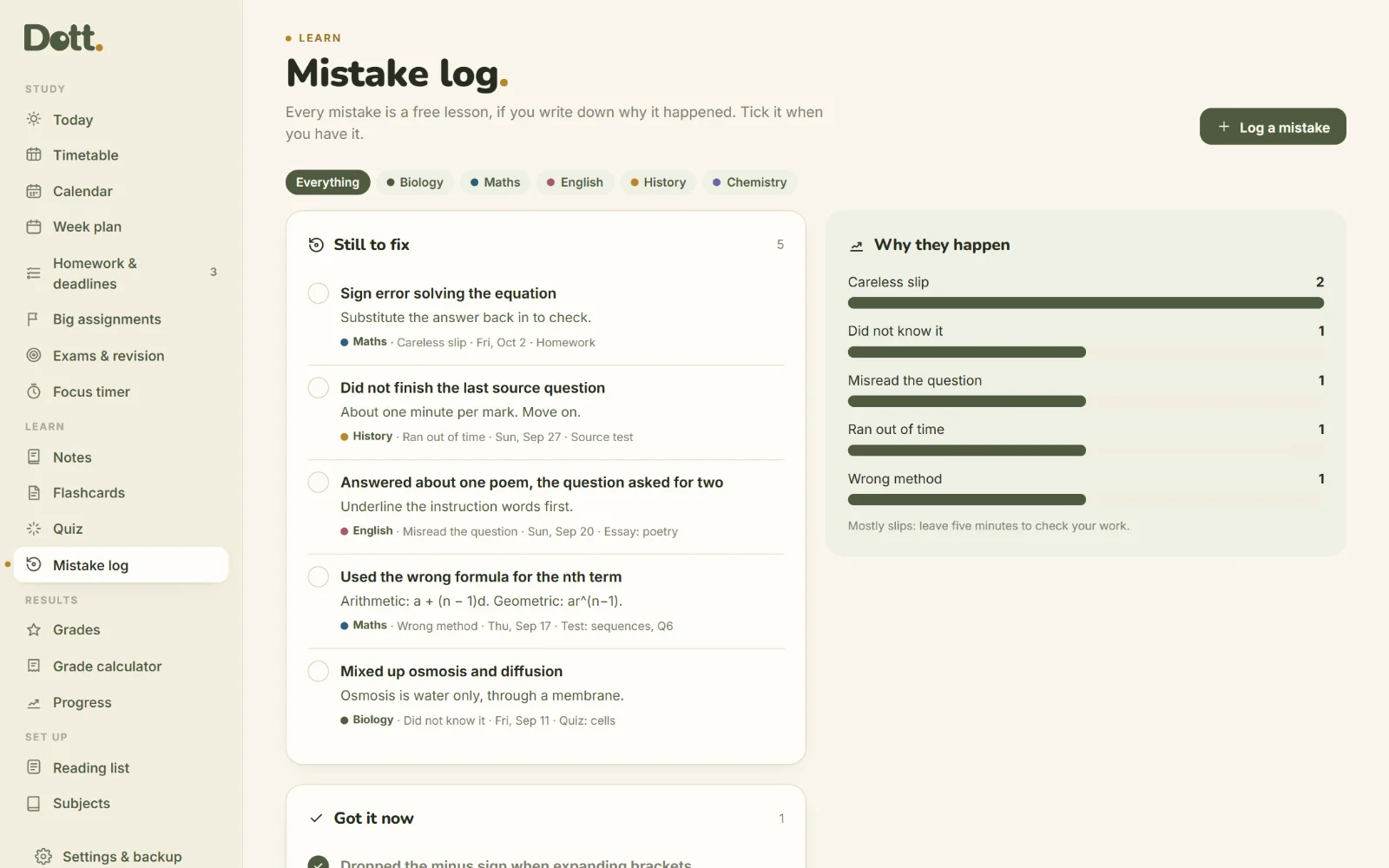
A mistake log that finds the pattern
Log what went wrong and why. Dott. counts the reasons and tells you where your marks are really going.
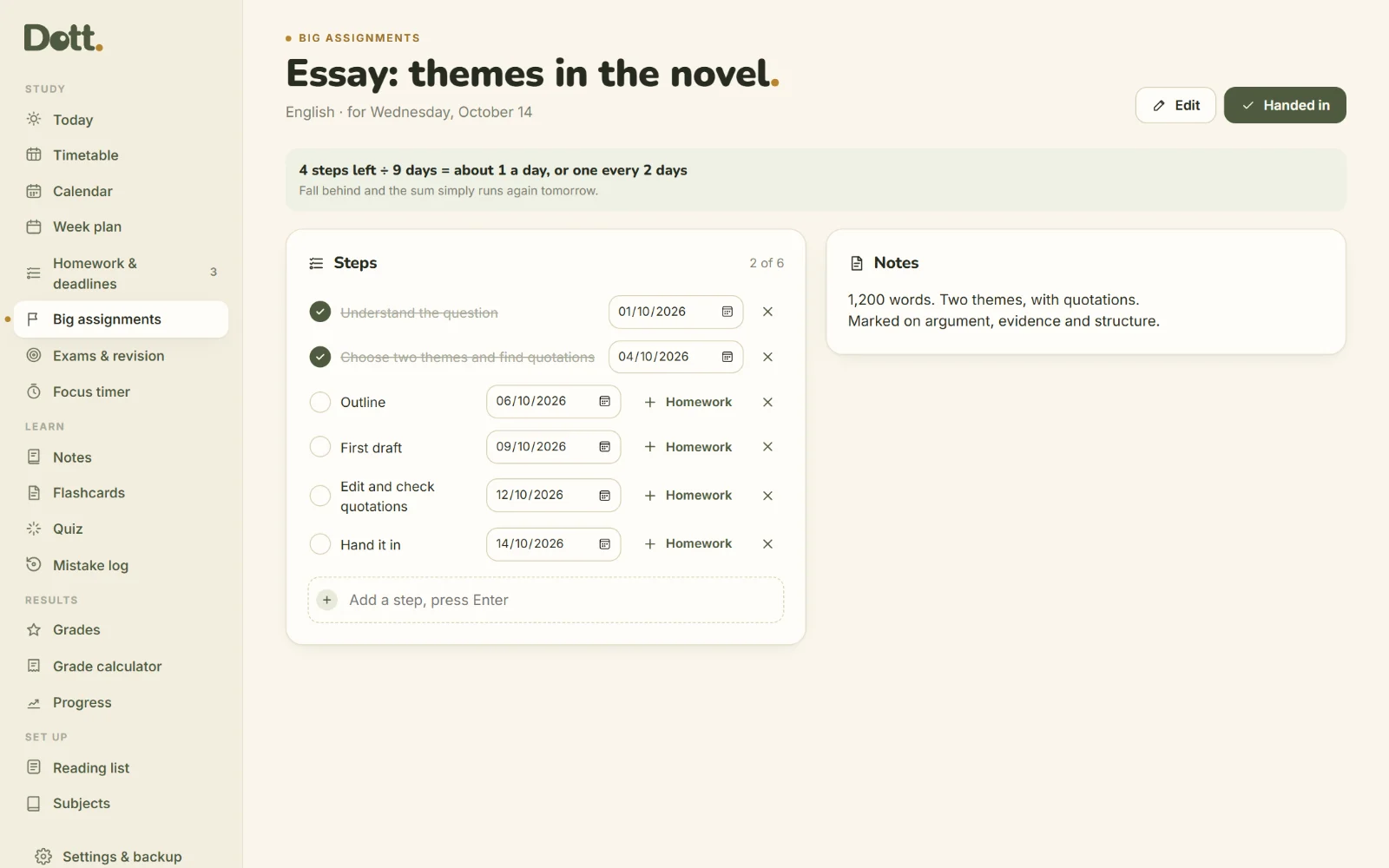
Big assignments, in steps
An essay or a project broken into dated steps. Steps left ÷ days left, and the sum runs again if you fall behind.
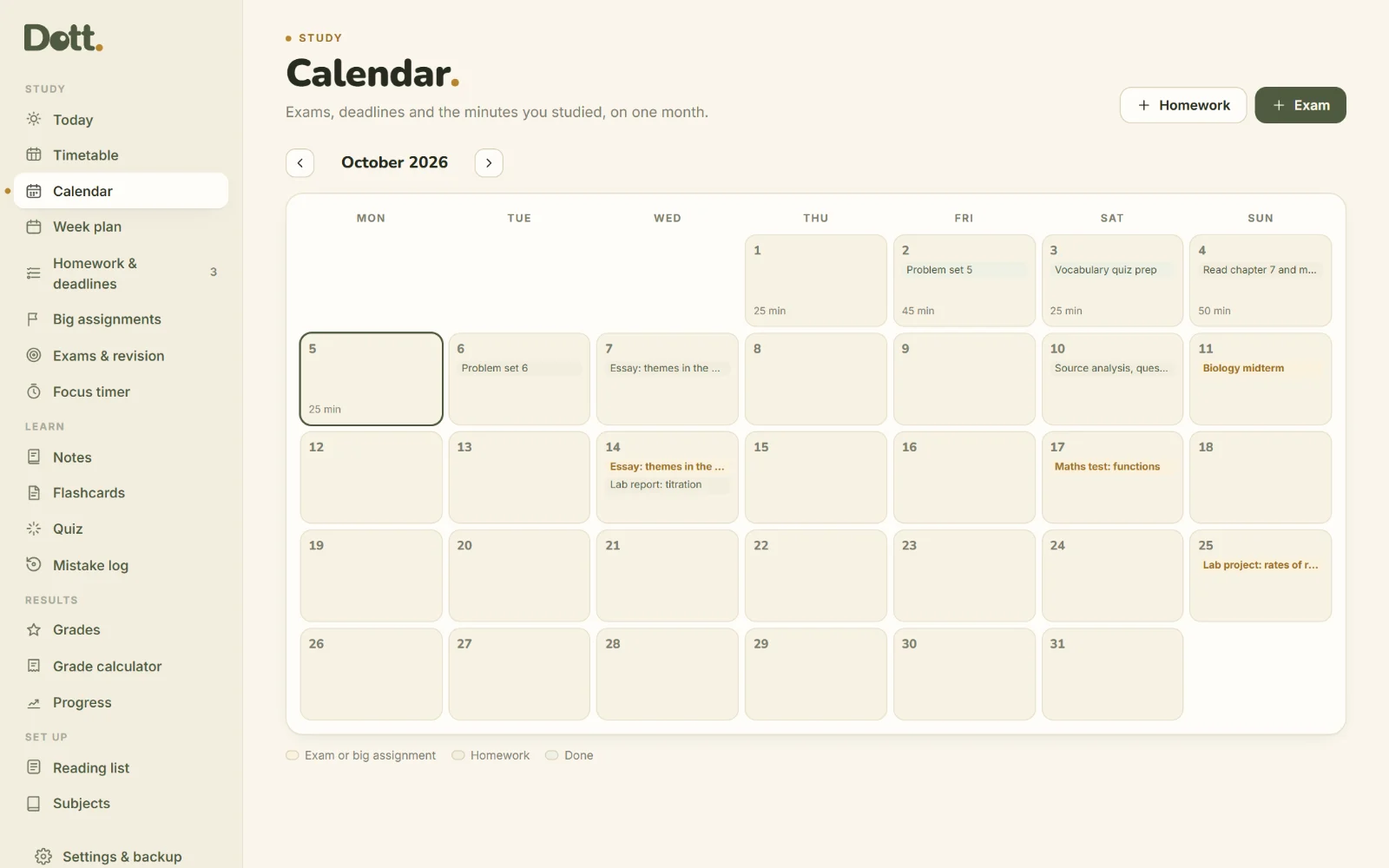
The month and the week
A calendar with every exam and deadline, and a week plan with the revision that keeps you on pace. Add your term dates to count the weeks.
Between classes.
Check what's due before class, tick today's revision in the library, start a focus session anywhere.
- Best on your laptop
- Works offline
- 15 colour palettes, light and dark
One price. Yours to keep.
Dott. Study
Paid once. No subscription.
Updates to version 3 are free.
- The appOne HTML file, best on your laptop.
- 12-page guideEvery screen explained with pictures.
- Printables BonusTimetable, deadline tracker, weekly plan, exam revision planner, exam countdown, focus log and term overview. 9 pages.
50% off until Friday 31 October 2026, then $39.99. Secure checkout on Payhip, instant download, 14-day refund.
For the desk and the folder
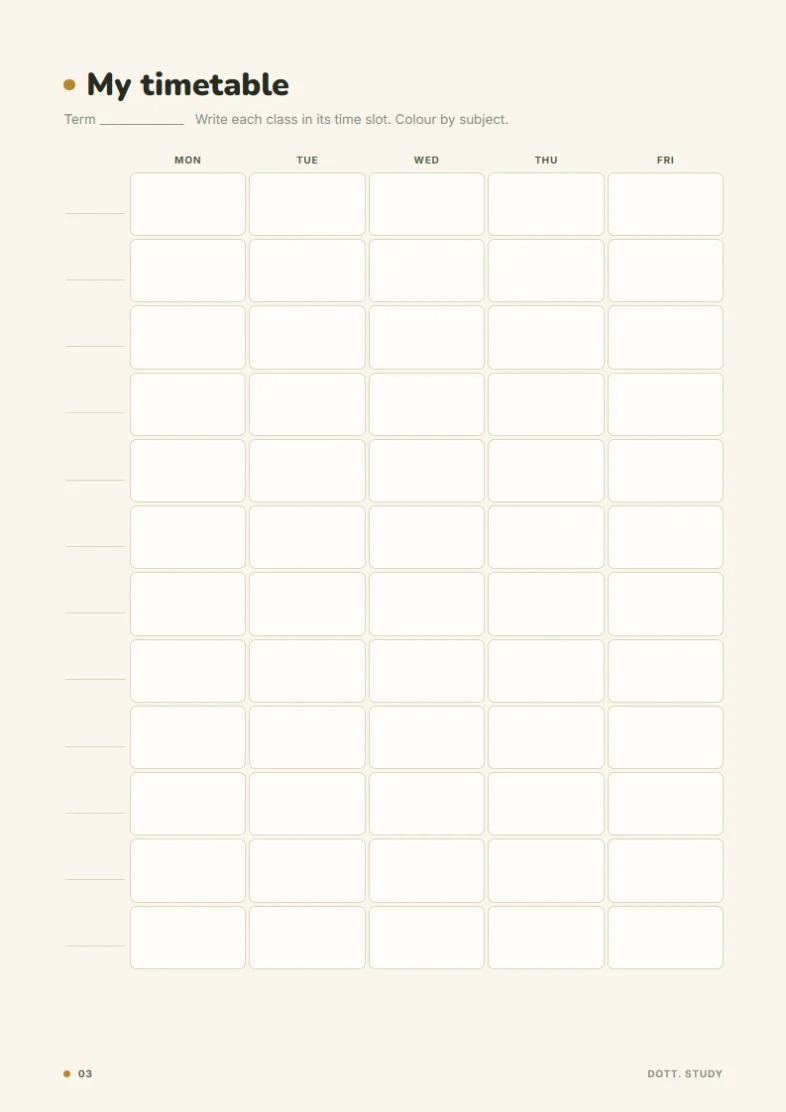
- My timetable
- Homework & deadlines
- This week
- Exam revision planner
- Exam countdown
- Focus log
- Term at a glance
Good to know.
School or university?
Both. Subjects, classes, deadlines and exams work the same way.
How does the revision pace work?
Topics left divided by days left, rounded up. For example, 14 topics and 5 days is 2.8, so 3 a day. If you miss a day, the same sum runs again tomorrow with what's left. Nothing is lost.
Does it sync between my devices?
Not automatically. There's no account and no cloud. Move everything with the backup file whenever you like.
Does it connect to Google Calendar?
You can export your deadlines and exams as a calendar file and add them to Google, Apple or Outlook.
Is it a subscription?
No. $20 once.
Write to a human.
A person reads every message.
A doable share, every day.
Add your subjects and your next exam tonight. Tomorrow, just do today's share.
- Instant download
- One-time payment
- Works offline
- Stays on your device